

Most free ADHD planner PDFs look calm on the screen and end up half-filled in a drawer by the second week. The problem is rarely you. It is usually too many boxes. This guide shows which pages are worth printing, gives you a minimal daily and weekly layout to copy, and explains how to use them, and what to change when paper stops working.
If you are still deciding what kind of planner to buy or use at all, our guide to choosing the best planner for ADHD covers selection criteria. This article is about the printed pages themselves.
Why a printed page can help (and what it cannot do)
A planner is a way of putting your plans outside your head. Psychologists call this kind of strategy cognitive offloading: using a physical action, such as writing something down or setting a reminder, to reduce the mental work a task demands.
That matters because several of the things a plan asks of you are harder with ADHD:
- Holding things in mind. A meta-analysis of 38 studies found moderate differences in working memory between adults with ADHD and adults without it, and concluded that these difficulties persist into adulthood.
- Planning and remembering intentions. In a study of 45 adults with ADHD and 45 matched controls, the largest difference in remembering and carrying out future intentions came from planning the task, not from recalling the plan. In a smaller study of 29 adults with ADHD and 24 controls, people with ADHD remembered and carried out fewer of their own real-life intentions, and this difficulty partly explained the link between ADHD symptoms and procrastination.
- Everyday organisation. The NHS lists finding it hard to organise your time, being easily distracted or forgetful, and finding it hard to finish tasks among the signs of ADHD in adults.
Planning tools are also part of tested psychological treatment. In a randomised trial of 86 adults who still had ADHD symptoms despite medication, cognitive behavioural therapy (CBT) improved symptoms more than relaxation with educational support. Describing that programme for CHADD’s Attention magazine, Mark Katz writes that it teaches how to use a calendar and task list, which he calls cornerstones of staying organised, along with breaking long tasks into smaller chunks. A separate trial of 88 adults found that a 12-week group programme teaching time management, organisation and planning skills improved inattention more than supportive group therapy.
Be clear about what this does and does not show. We found no study that has tested printable planners as such. Those trials were full therapy programmes led by clinicians, and a sheet of paper is not therapy. What the research does support is the idea behind it: getting plans out of your head and onto something you can see. If ADHD-type difficulties like these are affecting your work, studies or relationships, the NHS advises making an appointment with a GP.
The page types worth printing (and the ones to skip)
Free planner bundles often include 20 or 30 page designs. You need about four. Every extra page is one more thing to fill in, and an unfilled page tends to feel like a small failure.
| Page type | What it does | Print it when | Skip it if |
|---|---|---|---|
| Capture page | One place to empty your head: tasks, ideas, worries, errands | Always. Start here | Never skip; it is what keeps the daily page short |
| Daily page | Today’s appointments, up to three priorities and their first steps | Always. One per workday | You only need a weekly overview right now |
| Weekly page | Fixed events, three outcomes for the week, a quick capacity check | Always. One per week | Your weeks are very predictable |
| Done log | A list of what you actually finished | Recommended. Can sit on the daily page | You already track completed work elsewhere |
| Monthly calendar | Birthdays, deadlines, trips at a glance | Optional | You keep a digital calendar (most people should) |
| Habit, mood and water trackers | Daily ticks for routines | Later, one at a time | You are still building the daily-page habit |
| Decorative extras | Quotes, colouring pages, stickers | If they make you want to open the planner | They make the planner feel like homework |
A useful rule: if a page has not been touched for two weeks, stop printing it. You can always bring it back.
The minimal daily page: what to include
The daily page is the heart of a printable planner. It should fit on one side of A4 or US Letter with plenty of white space, and you should be able to fill it in in five minutes. Here are the fields, in the order you fill them:
- Date and fixed appointments. Meetings, calls, school runs. These are not negotiable, so they go first and show how much time is really free.
- Up to three priorities. Mark one as the must-do. Three is a common limit in planning advice, not a research finding, but it keeps the page honest: if everything is a priority, nothing is.
- A first step for each priority. “Report” is a cloud. “Open last month’s report and copy the table” is something you can start. Breaking long tasks into smaller chunks is one of the skills taught in the CBT programme described above.
- A time estimate and a time slot. Write how long you expect each priority to take and when you will do it. People tend to underestimate how long their own tasks will take; psychologist Roger Buehler, who studies this planning fallacy, describes remedies such as comparing with how long similar tasks took before and committing to specific parts of a task at set times. Writing “after the 10:00 call, open the report” is close to what researchers call an implementation intention, and a meta-analysis of 94 tests found that if-then plans spelling out when, where and how you will act had a medium-to-large positive effect on reaching goals.
- Small tasks. A short list of quick jobs (reply to Jo, book the dentist) to batch in one slot instead of scattering through the day.
- Done log. Three or four lines where you write what you finished, including things that were not on the plan.
- Tomorrow’s first step. One line before you close the page. In laboratory studies, unfinished goals caused intrusive thoughts during an unrelated task, and making a specific plan for them removed that interference. A written next step may make it easier to stop for the day.
Layout rules that keep the page usable
These are design principles drawn from the points above and from common planning practice, not tested rules:
- One page, one day. Do not squeeze a week of days onto one sheet; boxes get too small to write in.
- Big boxes, few of them. About seven sections at most. Leave real white space so the page does not look full before you start.
- No hourly grid by default. A full 6:00 to 22:00 grid invites over-planning. Write times next to the items that need them.
- Print in black and white. Colour-coding can come later with a highlighter, if it helps.
- Undated pages. Write the date yourself, so a missed day leaves no empty page behind.
Daily page to copy
Copy this table into a document, set a large font (at least 12 point) and generous row heights, and you have your printable.
| Section | Fill in |
|---|---|
| Date | … |
| Fixed today (time and what) | … |
| Must-do (first step, estimate, when) | … |
| Priority 2 (first step, estimate, when) | … |
| Priority 3 (first step, estimate, when) | … |
| Small tasks (batch in one slot) | … |
| Done today | … |
| Tomorrow’s first step | … |
If you want more detailed layouts, such as a brain-dump page with categories or a time-slot version, see our ADHD planner templates with fill-in examples.
The weekly page: a short overview, not a second planner
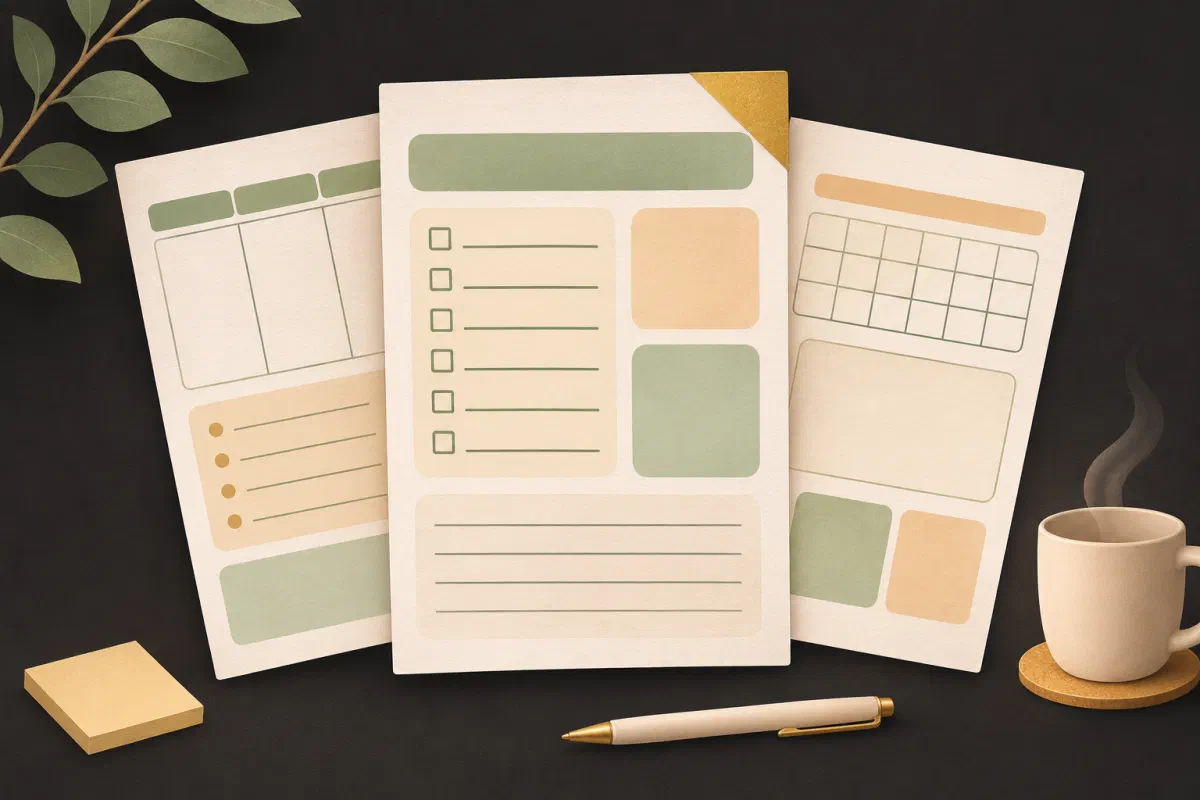
The weekly page answers one question: what does a realistic week look like? Keep it to these fields:
- Fixed events this week: meetings, appointments, travel, deadlines.
- Three outcomes for the week: results, not activities (“send the draft proposal”, not “work on proposal”).
- Capacity check: roughly how many hours are actually free for focused work after fixed events. If the three outcomes clearly need more, cut one now rather than on Friday.
- Focus sessions per day: a small number next to each day, such as 2, 3 or 0 on a day full of meetings.
- Carry-over: anything from last week that still matters. Anything that keeps carrying over for three weeks needs a decision: do it, delegate it, schedule it or drop it.
- Review questions: What went well? What took longer than I thought? What will I change next week?
The review questions are not decoration. Comparing new plans with how long similar tasks took before is one of the remedies for the planning fallacy that Buehler describes, and the weekly review is where you collect those real times. In addition, the CBT programme above includes a regular review of the previous week’s practice, according to Katz’s description. For a full weekly routine, see our guide to a simple ADHD weekly planner routine.
How to use your printables each day
A planner works only when you look at it. Here is a simple routine for one workday:
- Plan in five minutes. The evening before or first thing in the morning, copy fixed appointments onto the daily page, pick up to three priorities from your capture page and write a first step, an estimate and a time for each.
- Keep the page open where you work. Put it next to your keyboard, not in a bag. A plan you cannot see is easy to forget.
- Check it at transitions. Glance at the page when you sit down, after each meeting, after lunch and whenever you finish something. These moments are natural cues, so checking does not depend on remembering to.
- Capture, do not switch. When a new task or idea pops up, write it on the capture page and go back to what you were doing. Decide later whether it belongs on a daily page.
- Start the must-do first, if you can. Work on it in a set block of time. A visible countdown, such as our free focus timer, can make the start feel smaller.
- Re-plan once, not all day. If the morning goes off track, take two minutes at lunch to move or cut a priority. Cross it out and write the new time; do not start a fresh page.
- Close the day in three minutes. Fill in the done log, move unfinished priorities to tomorrow or back to the capture page, and write tomorrow’s first step.
On the weekly page, spend 15 minutes once a week, for example on Friday afternoon or Monday morning: read last week’s done logs, answer the review questions and set three outcomes. If you want a fuller step-by-step daily method, see how to plan your day with ADHD in ten minutes.
Does time management actually pay off? A meta-analysis found that time management is moderately related to job performance, academic achievement and wellbeing, and its link with wellbeing, especially life satisfaction, appeared stronger than its link with performance. That research was about time management in general, not printable planners or ADHD in particular, but it suggests the benefit is not only about getting more done.
A worked example: one Tuesday on paper
Here is an illustrative example of how a filled-in daily page might look for a project coordinator with a mix of meetings and desk work. It is a made-up day, not a real user’s story.
| Section | Filled in |
|---|---|
| Date | Tuesday |
| Fixed today | 9:30 team stand-up (15 min), 13:00 lunch with Sam, 15:00 client call (1 hour) |
| Must-do | Budget update for the client call. First step: open last month’s sheet and copy the totals tab. Estimate 60 min (last time took 75). When: 10:00 |
| Priority 2 | Draft agenda for Thursday’s workshop. First step: list the three decisions we need. Estimate 30 min. When: 14:00 |
| Priority 3 | Review supplier contract. First step: read pages 1 to 3 only. Estimate 30 min. When: 16:15 if energy allows |
| Small tasks | Reply to Jo, book room for Thursday, submit expenses. Batch at 11:30 |
| Done today | Budget update sent, agenda draft, room booked, Jo replied, sorted a printer problem for a colleague (not planned) |
| Tomorrow’s first step | Open the contract at page 1 and highlight anything about payment terms |
What happened during the day: the stand-up ran 25 minutes over, so the budget started at 10:25. At lunch the coordinator looked at the page, saw that the contract would not fit, and moved it to tomorrow, writing the first step on the bottom line. Expenses were not done; they went back to the capture page.
Two things made this page work. The estimate used the last real time (“last time took 75”), which is the kind of comparison Buehler describes. And the done log includes the unplanned printer fix, so the end of the day shows what really happened, not only what slipped.
Make your own free ADHD planner PDF in ten minutes
You do not need a designer or a paid download. A plain page you made yourself is often easier to keep using because every field is one you chose.
- Open a blank document in any word processor, such as Google Docs, Microsoft Word or LibreOffice.
- Set the page size to A4 or US Letter, whichever your printer uses. For a smaller planner, you can later print two pages per sheet and cut them to roughly A5 size.
- Insert a two-column table and copy the section names from the daily page above into the left column.
- Make the rows tall. Drag the row borders down until the page is filled. Handwriting needs more space than you think.
- Add a weekly page on the next page with the six fields from the weekly section, and a capture page that is simply a heading and lines.
- Export as PDF. Most word processors offer “Download as PDF” or “Save as PDF” in the file or print menu.
- Print a small batch: one capture page, one weekly page and five daily pages. Printing a whole year at once looks efficient but makes changes expensive.
- Change one thing after a week. Remove any field you skipped every day, or enlarge one you always ran out of space in. Then export the new version.
Keep the pages in one place: a clipboard on your desk, a folder or a ring binder. A single sheet that is always visible beats a beautiful binder that lives in a bag.
When paper fails, and what to do instead
Printables stop working for most people at some point. That is a signal to adjust the system, not proof that you cannot plan. Use this table to find the likely cause:
| What happens | Likely cause | What to try |
|---|---|---|
| Pages stay blank for days | Too many fields, or no fixed moment to plan | Cut the page to three fields (fixed, must-do, tomorrow), and attach planning to something you already do, such as your first coffee |
| The plan is always too big | Estimates come from hope, not past times | Write the last real time next to each estimate, and plan only about two thirds of the free time |
| You plan well but never look again | The page is out of sight | Keep it open beside the keyboard and check it at every transition |
| You forget appointments | Paper cannot alert you | Keep appointments and deadlines in a calendar with reminders; use paper for the day’s plan only |
| The planner gets left at home | Too many places to keep track of | Use one loose daily sheet that travels with your laptop, and copy anything important to the capture page later |
| You missed a week and avoid the planner | Empty pages feel like a debt | Do not catch up. Start a fresh, undated page today and move only what still matters |
| Writing feels slow or messy | Handwriting is a barrier for you | Try a typed daily page, or a mix: typed weekly page, short handwritten daily list |
Two of these deserve a closer look. First, paper is silent. It can show your plan, but it cannot remind you at 14:55 that the call starts at 15:00. Most people do best with a hybrid: a calendar with alerts for anything tied to a clock, and a printed page for priorities. Our comparison of paper vs digital planners for ADHD helps you decide how to split the work.
Second, many planning problems are really problems of sensing time. People often call this “time blindness”, which is a popular term rather than a diagnostic criterion. A 2023 review of a decade of research on time perception in adult ADHD found the studies scarce and the results mixed. If your estimates are consistently far off, our article on time blindness and practical ways to work with it has more ideas, and a visible timer often helps more than a better page.
Finally, if planning difficulties are part of a bigger picture, such as falling behind at work, constant lateness or feeling overwhelmed most days, a planner is not the whole answer. The NHS advises seeing a GP if symptoms affect your work, studies or relationships, and notes that talking therapies such as CBT may be recommended for adults with ADHD. Decisions about diagnosis or treatment belong with a doctor.
Where a focus timer fits
A printed page decides what to work on. It does not help much with actually staying on the task for the next 40 minutes. That is where a timer comes in.
Cyklio is the focus timer app we make at Mindly 360, so we are not neutral. It runs focus sessions from 10 to 60 minutes, lets you set a daily goal in hours shown as a progress ring, and asks you to rate each session (full focus, distractions or not today). Daily, weekly and monthly reports can then sit next to your done log during the weekly review. It is available on Android, with iPhone coming, in English and Polish, and offers a 7-day free trial with full access and no account or card needed. It does not diagnose or treat anything; it is simply a timer with a record.
You do not need an app for any of this. Our free focus timer works in the browser, and a kitchen timer works too.
Summary and your next step
- Print four page types: capture, daily, weekly and a done log. Add trackers only once those stick.
- Keep the daily page to about seven sections: fixed appointments, up to three priorities with a first step, estimate and time, small tasks, done log and tomorrow’s first step.
- Use the page at transitions during the day, re-plan once, and close the day in three minutes.
- When paper fails, cut fields, restart with a fresh page instead of catching up, and give anything tied to a clock to a calendar with reminders.
Next step: copy the daily page table into a blank document, export it as a PDF and print five copies. Tomorrow, fill in one page in five minutes, and run your must-do as a single 25 to 45 minute session with a timer.