


A good time tool does one simple thing: it takes time out of your head and puts it on the desk, on your wrist or in your pocket, where you can see it. This guide compares the main ADHD time management tools (visual timers, cube timers, apps, watches and reminders), shows when each one fits, and ends with a setup you can finish in about 20 minutes.
Why time tools are worth trying with ADHD
Time is one of the places where adult ADHD shows up most in daily life. The US National Institute of Mental Health lists “poor time management, planning, or organization” and “disorganization and procrastination” among the problems adult symptoms can lead to (NIMH, 2024). The NHS describes finding it hard to organise your time (NHS).
Research on how adults with ADHD perceive time is still thin. A review of a decade of studies found very few of them, with mixed results (Mette, 2023). If you want to understand the experience often called “time blindness” (a popular term, not a diagnosis), our guide to tools for time blindness covers it. This article stays practical: which tool to use, and when.
External tools are a recognised support. The Job Accommodation Network, a US service that advises on workplace adjustments, lists “assistive technology (timers, apps, calendars, etc)” as an accommodation for time management with ADHD, and, for getting to work on time, suggests using “a timer or programmable watch to pace self” (JAN). The UK’s NICE guideline gives “shorter periods of focus with movement breaks” as one example of environmental changes for ADHD, and adds that the right changes depend on each person’s needs (NICE NG87, “Terms used in this guideline”).
The five main types of ADHD time tools
Visual timers
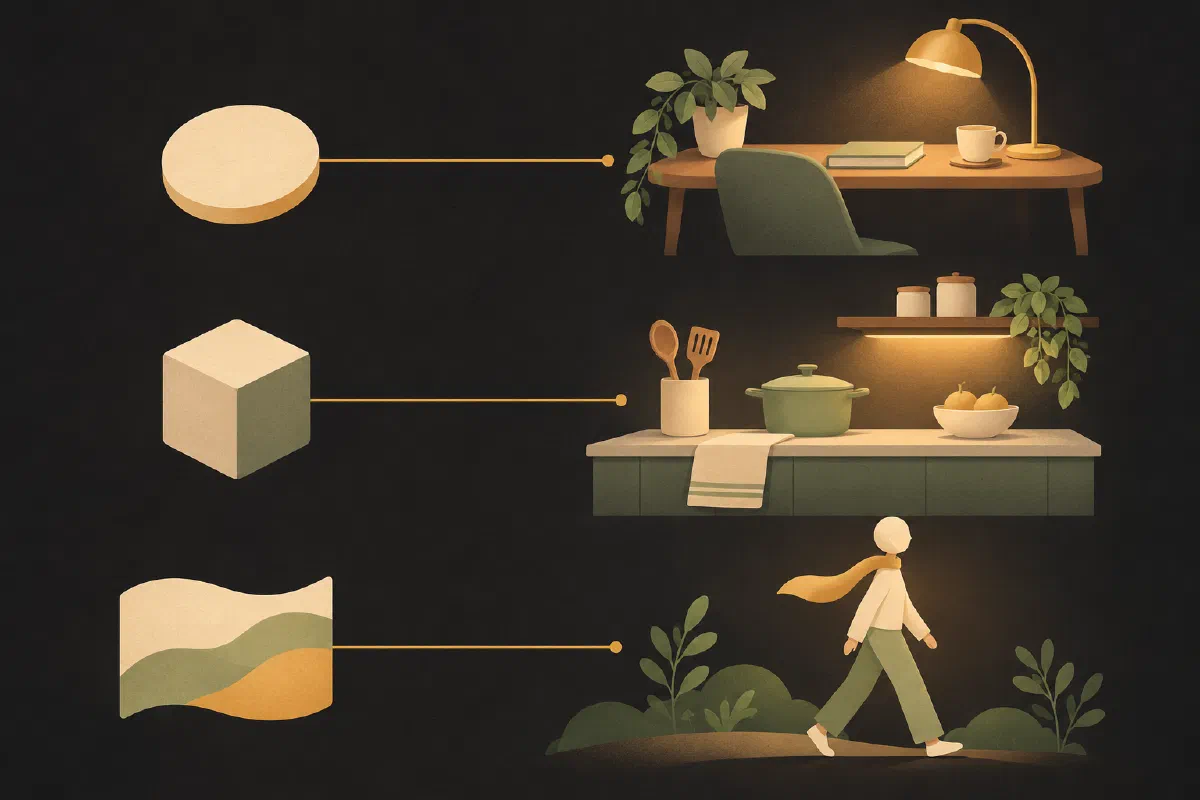
A visual timer shows remaining time as a shape that shrinks or fills, often a coloured disc or wedge. You can read it from across the room without working out numbers. It suits desk work and any task where you tend to lose track of how much time is left. For features to look for and physical versus app versions, see our full guide to visual timers for ADHD.
Cube timers
A cube (or flip) timer has a preset duration on each side, for example 5, 15, 30 and 60 minutes. You turn the chosen time face up and it starts; you set it down on another side to stop. Its strength is speed: one movement, no menus, no phone. Its limits are fixed durations, and some models only beep at the end without showing time passing, so pair it with a visible clock if you need to see progress.
Timer and focus apps
An app on your phone or computer can do things a desk timer cannot: run several timers, label them, come with you to a meeting room or train, and keep a record of what you did. The cost is that it lives on the device most likely to pull you away. In an interview study of 32 adults attending an ADHD specialist clinic, participants described relying on reminder apps, phones, laptops and tablets to stay organised, and one said they avoided paper notes because they kept losing them (Canela et al., 2017). For side-by-side comparisons of specific products, see the best time management apps and planner apps for ADHD.
Analogue clocks and watches
A wall clock with hands, or a watch you actually wear, shows the shape of the day rather than one task. A vibrating watch can also give a private signal in meetings or shared offices. In a 15-month project where occupational therapists introduced cognitive assistive technology to adults with ADHD, participants tried 74 different aids, and weekly schedules, watches and weighted blankets were among the most highly valued (Lindstedt and Umb-Carlsson, 2013).
Reminders and calendar alerts
Reminders do not show time passing; they tap you on the shoulder at a fixed moment. They are the right tool for things that happen at a set time (meetings, leaving the house, taking the bins out) rather than for pacing a task.
Tool types compared
| Tool | How it shows time | Best for | Watch out for |
|---|---|---|---|
| Visual timer (physical) | Shrinking disc or wedge you can see at a glance | Desk work, home tasks, a silent workspace | Stops being noticed if it sits out of your line of sight |
| Cube timer | Preset time per side; mostly an end signal | Fast starts, short chores, breaks | Fixed durations; may only beep, not show progress |
| Timer or focus app | Countdown, ring or bar; can log sessions | Tracking your day, working in different places | Phone notifications and the pull of other apps |
| Analogue clock or watch | Hands moving around a dial | Seeing the shape of the day, leaving on time | Shows the time, not how long you have left on a task |
| Reminders and calendar alerts | A signal at a set moment | Appointments, transitions, hard stops | Too many alerts get ignored |
Which tool fits which moment?
Most people do best with a small set: one tool for focused work and one for fixed times. Find your situation in the table and start there.
| Your situation | Start with | Why |
|---|---|---|
| You work at a desk and lose track of how long you have been on a task | Visual timer within your line of sight | You see time passing without checking |
| You struggle to start, and setting anything up feels like a hurdle | Cube timer on a short side | One flip, no decisions; see using a short timer to start tasks |
| You move between home, office and meetings | Timer app, with other notifications silenced | It comes with you and keeps a record |
| You often miss meetings or leave late | Calendar alerts plus a watch | The alert marks the moment; the watch shows how close it is |
| You do chores around the house and forget the oven or the laundry | Cube timer or kitchen timer next to the task | The signal is where the job is |
| Sounds make you jump | Visual timer or a vibrating watch | Gentler signals keep the tool from feeling like a threat |
What the research does and does not say
The evidence for time tools is encouraging but limited, and it is fair to say so plainly.
- Children, as part of a programme. In a randomised controlled study, 38 children with ADHD aged 9 to 15 received time-skills training plus time-assistive devices, or an educational programme alone. After 24 weeks the training group had improved more in time-processing ability, and parents rated their daily time management as more improved, although the children’s own ratings did not change significantly (Wennberg et al., 2018). The devices were one part of a broader intervention, so the study cannot show how much the tools alone helped.
- Adults, with professional support. In the occupational therapy project, more participants were working at the end than at the start, while life satisfaction showed only a tendency to improve. The authors concluded that assistive technology works best with individually tailored, structured support (Lindstedt and Umb-Carlsson, 2013).
- Adults, in their own words. The interview study above shows that many adults with ADHD build their own systems with apps, devices and checklists (Canela et al., 2017). That tells us what people use, not what works best.
We did not find any study comparing visual timers, cube timers and apps in adults with ADHD. So choose by your setting and your senses, then test.
What to look for in an ADHD time management app
If you choose an app, a few features matter far more than design or the number of options:
- Starts in one or two taps. Every extra step is a chance to stall before you begin.
- Shows time visually, as a ring, bar or shrinking shape, not only as digits.
- A gentle, adjustable end signal. In a study of 116 adults diagnosed with ADHD, participants reported more sensory hyper- and hyposensitivity than norm groups, especially for hearing and activity level (Bijlenga et al., 2017). If alarms make you tense, pick soft sounds or vibration.
- Times breaks as well as work, so breaks have a clear end too.
- Simple records, such as how many sessions you did today, without streaks that make a missed day feel like failure.
- Works with notifications silenced. In one lab study, just receiving phone notifications disrupted performance on an attention task, even when people did not touch the phone (Stothart et al., 2015). That study was not about ADHD, but the fix is easy: during a session, let only the timer through.
A simple 20-minute setup
You do not need to buy everything at once. This setup uses at most two tools and fits most working days.
- Pick your two jobs (2 minutes). One tool for focused work, one for fixed times. For most people that is a visual timer or app, plus calendar alerts.
- Choose the place (3 minutes). Put the work timer where your eyes already go: under the monitor, next to the keyboard, on the kitchen counter. If it is an app, keep it on the home screen.
- Set three default lengths (3 minutes). A short one for starting (5 to 10 minutes), a standard one for most work (20 to 30 minutes) and a break (5 minutes). These are starting points to adjust, not research-based rules.
- Add alerts for fixed times only (5 minutes). Meetings, leaving the house, the school run. Set each alert early enough to finish what you are doing and move.
- Silence everything else (3 minutes). Turn off non-essential notifications during focus sessions, or keep your phone out of reach if you use a physical timer.
- Do one test session (4 minutes). Start the timer on something small right now, so the first use is not tomorrow’s big task.
Worked example: one workday with two tools
Here is how this could look for a project coordinator who works from home three days a week (an illustrative example, not a real case). She keeps a visual timer under her monitor and calendar alerts on her phone. At 9:00 she sets the timer for 10 minutes to open the report she has been avoiding; when it ends she keeps going and resets it for 25. A calendar alert at 10:50 gives her ten minutes to wrap up before an 11:00 call. After lunch she flips a cube timer to 15 minutes for email so the inbox has a clear end. At 16:30 an alert reminds her to write tomorrow’s first task on a sticky note. She used two main tools, each with one job.
Fill-in: your tool plan
| Job | My tool | Where it lives | Default settings |
|---|---|---|---|
| Starting a task | ___ minutes | ||
| Focused work | ___ minutes work / ___ minutes break | ||
| Fixed times (meetings, leaving) | Alert ___ minutes before | ||
| Seeing the shape of the day |
Try the plan for one week, then keep what you actually used and drop the rest. For a full timer setup for the office, see the best timer setup for ADHD at work.
Common mistakes with time tools
- Too many tools at once. Three timers, two apps and a planner become one more thing to manage.
- A timer out of sight. A visual timer in a drawer or behind a laptop does nothing.
- Using the phone as the timer and the distraction. If your phone pulls you in, use a physical timer for focus and keep the phone for alerts.
- Harsh alarms. If you start to dread the sound, you will stop starting the timer.
- Expecting a tool to fix everything. Tools make time visible; they do not replace support. If time problems keep affecting your work or home life, it is worth talking to a doctor.
Where Cyklio fits
Cyklio is our own focus timer app, made by Mindly 360. It covers the “focused work” job: sessions from 10 to 60 minutes, a daily goal in hours with a progress ring, a quick rating after each session (full focus, distractions or not today) and daily, weekly and monthly reports. It is available on Android in English and Polish, with iPhone coming, and has a 7-day free trial with full access and no account or card needed. It does not replace a calendar for appointments, and it does not diagnose or treat anything. If you would rather try a timer in your browser first, use the Cyklio Focus Timer, or read more about the app.
Summary
- Visual timers suit desk work, cube timers suit fast starts, apps suit tracking and moving around, watches and reminders suit fixed times.
- Workplace guidance recognises timers, apps and calendars as time management supports for ADHD, but no study has compared tool types in adults.
- Pick one tool per job, keep it in the same place, use gentle signals and silence other notifications.
Your next step: choose one tool for focused work, set it to 10 minutes and start one small task today. Then fill in the tool plan above and test it for a week.