

Search for “best ADHD apps” and you get long lists of brand names, each promising to fix your focus. The more useful question is which kind of app fits the problem you actually have. This guide compares the four main categories (timers, task managers, reminders and habit apps), shows what the evidence does and does not say, and gives you a simple way to test an app before it joins the pile of abandoned downloads.
What an ADHD app can and cannot do
Many everyday ADHD difficulties are exactly the jobs apps are built for. The NHS page on ADHD in adults lists being easily distracted or forgetful, finding it hard to organise your time and finding it hard to finish tasks among the inattentive symptoms. The NIMH guide to ADHD in adults adds trouble remembering daily tasks, poor time management, planning or organisation, and disorganisation and procrastination.
An app helps by moving some of that load out of your head and into a tool that does not forget. This is close to the outside tools, such as a calendar and a task list, that some therapy programmes for adult ADHD teach (more on that below). A well-chosen app can do some of this work.
The honest part is what the evidence says about the apps themselves:
- A 2020 systematic review in the International Journal of Medical Informatics looked at ADHD apps in the Apple App Store, Google Play and the NHS Health Apps Library. Of 355 apps found, 109 were included. Very few said how they were developed, and none contained information about evidence that they work.
- A 2025 scoping review in Behaviour and Information Technology analysed 46 ADHD apps from a decade of research and app stores and found that only two of the 35 commercial apps had received medical endorsements.
- A 2025 systematic review in Frontiers in Public Health reviewed 14 studies of ADHD apps. Some showed promise, but in the adult studies the comparison groups (a chatbot or psychoeducation) also had fewer symptoms, long-term effects are not yet known, and the authors describe apps as a possible supplemental tool within ADHD care rather than a treatment on their own.
So no app is proven to treat ADHD, and any app that claims it can “fix” your ADHD deserves suspicion. What is better supported is the general approach of using outside tools for planning and organisation, which the next sections build on. Medical apps and digital therapeutics are a separate topic and are not covered here.
The blueprint: a calendar, one task list and a cue
Before comparing apps, it helps to know what therapists actually teach. A review of cognitive behavioural therapy (CBT) for adult ADHD in Psychiatric Clinics of North America notes that the three treatments with the largest effect sizes all focus on organisation and planning skills. One of them, the programme developed by Safren and colleagues, teaches “use of a simple calendar and task-list system” and uses visual and auditory reminders to prompt people to check whether they are still on task.
Describing that programme for CHADD’s Attention magazine, psychologist Mark Katz calls the calendar and task list cornerstones of staying organised. He also describes breaking long, uninteresting tasks into smaller chunks and using timers and cues to override distractibility.
Two caveats matter. These tools were tested as part of whole therapy programmes, not on their own, and most programmes had been tested in only a single study. The review authors also treat the idea that repeated practice of compensatory skills is what makes these programmes work as a hypothesis that needs more study. Still, the blueprint is a sensible starting point for choosing apps: one place for time-bound commitments, one place for tasks, and a cue that brings you back.
Real adults with ADHD build their own versions of this. In a qualitative study in PLoS ONE, 32 adults with ADHD described their coping strategies. Participants reported using checklists and electronic devices to plan or be reminded of tasks and appointments, some found very rigid structures and detailed plans helpful, and the strategies worked to varying degrees. There is no single right setup, only one that works for you.
The four app categories at a glance
| Category | The job it does | Most helpful when you… | Main trade-off | Free starting point |
|---|---|---|---|---|
| Timers and focus apps | Make time visible and give a task a clear start and end | struggle to start, drift off task or lose track of time | Does not tell you what to work on | Your phone’s built-in countdown timer, or a browser timer |
| Task managers and to-do apps | Hold every task in one trusted place and help you pick the next one | forget tasks, juggle many projects or freeze at a long list | Easy to over-organise and then abandon | Your phone’s built-in reminders or notes app |
| Reminders and calendar apps | Fire a cue at the right time or place | forget appointments, deadlines or things you meant to do later | Too many alerts turn into noise you ignore | The calendar that came with your phone or work account |
| Habit apps | Track repeated actions until they need less effort | want a routine to stick, such as taking a walk or a daily review | Streaks can create guilt; reminders may not build the habit itself | A simple checklist or paper tracker |
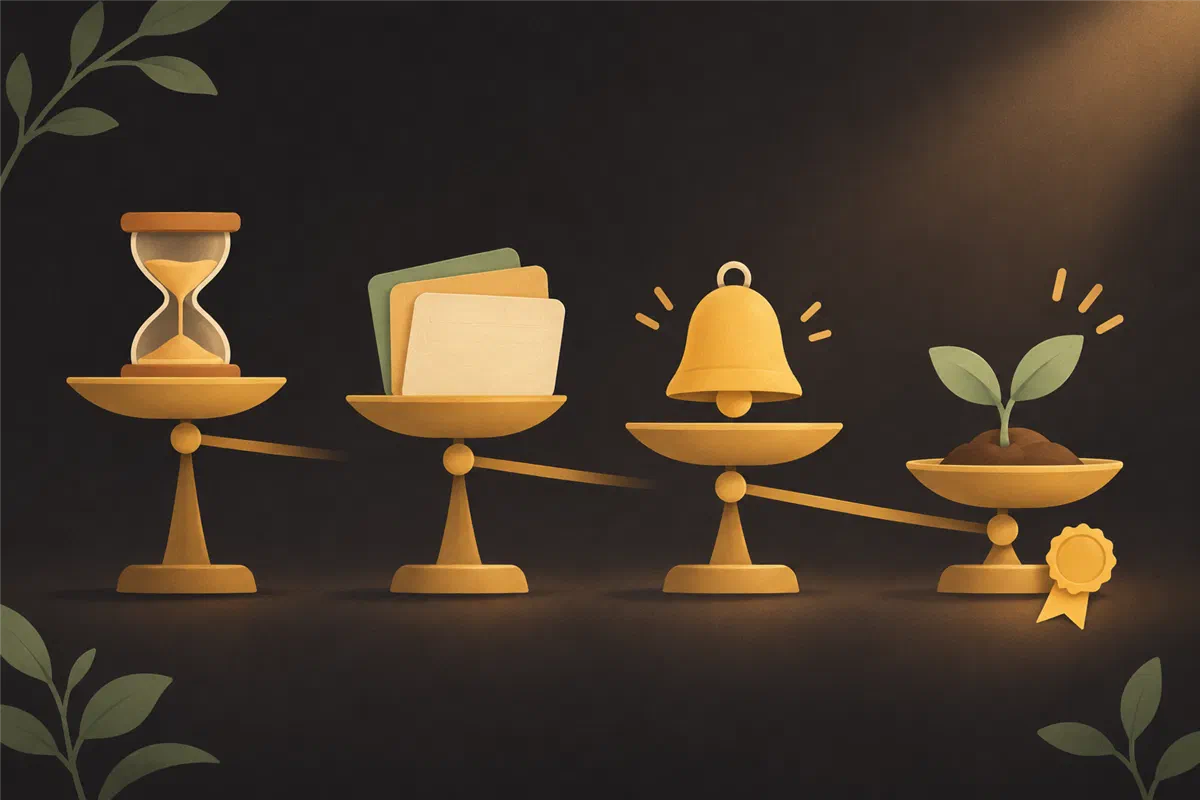
The sections below look at each category in turn: what to look for, what to avoid and what the research suggests.
Timers and focus apps: for starting and staying on one task
A timer answers two questions that are often hard with ADHD: “When do I start?” and “How long do I have to keep going?” A short, defined session makes a task feel smaller, and a visible countdown keeps time outside your head instead of relying on your inner sense of it. If losing track of time is a big issue for you, our guide to time blindness explains why that happens and how to make time visible.
Research on fixed work-and-break intervals is encouraging but limited. In a 2023 study in the British Journal of Educational Psychology, 87 university students studied with either self-chosen breaks or fixed breaks (for example 24 minutes of study and a 6-minute break, similar to the Pomodoro Technique). Students who took breaks whenever they chose studied in longer stretches but reported more fatigue and distraction and lower concentration and motivation. The fixed-break groups completed a similar amount in less time. These were students without a specific ADHD focus, so treat the result as a promising sign rather than proof for adults with ADHD.
What to look for in a timer app:
- Adjustable session length. Being able to start with short sessions and build up helps when 25 minutes feels too long; a fixed length does not suit everyone.
- A calm, visible display you can glance at without opening menus.
- Clear session endings that prompt a real break rather than letting you slide straight into the next thing.
- A simple record of what you did, which helps you see progress on days that felt unproductive.
- No feed, no social pressure, no ads pulling you into something else.
Common trade-offs: some timer apps bundle site blocking, sounds, social features and rewards. These can help some people and distract others, so add features only when you miss them. If you want to try timed sessions before installing anything, you can use the free Cyklio Focus Timer in your browser.
Disclosure: Cyklio is our own app, made by Mindly 360. It sits in this category. You choose focus sessions from 10 to 60 minutes, set a daily goal in hours shown as a progress ring, and rate each session as full focus, distractions or not today, with daily, weekly and monthly reports. It is available on Android in English and Polish (iPhone is coming) and comes with a 7-day free trial with full access, no account and no card needed. It is a focus tool, not a treatment, and it does not diagnose or treat anything. For a broader comparison of timer-based and other time tools, see ADHD time management tools.
Task managers and to-do apps: for capturing and choosing
A task manager is your external memory for everything you have to do. Its main value is trust: if every task lands in one place, your brain can stop trying to hold them all.
What to look for:
- Fast capture. Adding a task should take seconds, ideally from your lock screen, a widget, a share button or voice. If capture is slow, tasks stay in your head.
- A short “today” view that hides the rest of the list. Seeing 80 tasks at once can make starting harder.
- Subtasks or checklists so you can break a big task into a first step you can actually do.
- Due dates that link to reminders, so the task manager and your calendar do not compete.
- Easy rescheduling without red “overdue” warnings piling up.
Common trade-offs: powerful apps with tags, projects, filters and priorities invite you to spend an evening building a perfect system and then never open it again. Simple apps can feel too basic for complex work. A useful rule is to start with the simplest app that has fast capture and a today view, and add structure only when you notice a real gap. If you prefer a planner layout with days and weeks, see our comparison of planner apps for ADHD.
Reminders and calendar apps: for things tied to a time
Remembering to do something later is its own mental skill, called prospective memory. In a 2019 study in ADHD Attention Deficit and Hyperactivity Disorders, 29 adults with ADHD and 24 adults without ADHD completed lab and real-life memory tasks. The ADHD group recalled and carried out fewer of their own real-life intentions, and everyday prospective memory partly explained the link between ADHD symptoms and procrastination. That is a strong argument for not trusting your memory with appointments, deadlines and “I’ll do it after lunch” plans.
What to look for:
- One calendar for everything, work and personal, or at least one view that shows both.
- Multiple reminders per event, for example one the day before and one when it is time to leave.
- Location-based reminders (“when I get home, take the parcel”) if your phone supports them.
- Recurring events for regular commitments, so you do not rely on remembering to add them.
- Fine control over notifications, so only the important ones make a sound.
The trade-off here is attention. In a study in the Journal of Experimental Psychology: Human Perception and Performance, simply receiving a phone notification during an attention-demanding task disrupted performance, even though participants did not pick up the phone. The authors suggest that a short alert can trigger task-unrelated thoughts. Every app you add wants to send you alerts, so a good reminder setup is as much about switching notifications off as turning them on. If reminders keep firing and you keep dismissing them, that is a sign to cut back, not add more.
Habit apps: for actions you want to repeat
Habit apps let you tick off repeated actions, often with streaks, charts and reminders. They can make a routine visible, but research suggests two cautions.
First, reminders and habits are not the same thing. In a four-week study presented at the CHI 2015 conference, researchers found that relying on reminders helped people repeat a behaviour but got in the way of the behaviour becoming automatic. Linking the new action to an existing event (for example “after I pour my morning coffee, I check today’s tasks”) led to more automaticity. The same researchers reviewed 115 habit apps and found that most focused on tracking and reminders rather than on event-based cues.
Second, habits take time and survive the odd miss. In a real-world study in the European Journal of Social Psychology, 96 volunteers repeated a chosen daily behaviour. The time it took to become automatic varied widely, from 18 to 254 days, with an average of around 66 days according to a British Psychological Society summary, and missing a single day did not meaningfully set people back. A habit app that resets everything to zero after one missed day sends the opposite message.
What to look for:
- Gentle handling of missed days, without big broken-streak warnings.
- A place to write the cue (“after…, I will…”), not just the habit.
- Very few habits at once. Starting with one or two is easier to keep up.
Apps built around whole morning or evening routines are a closely related category; we compare them in ADHD routine apps.
Which category should you start with?
Adding four new apps at once can easily leave you using none. Start with the one problem that costs you most.
| If your biggest problem is… | Start with | Add later, if needed |
|---|---|---|
| “I can’t get started, even on things I want to do” | A timer with short sessions | A task manager for choosing the first step |
| “I start, then drift off or lose hours” | A timer with a visible countdown and clear endings | Notification limits on other apps |
| “I forget what I’m supposed to be doing” | A task manager with fast capture | A daily review reminder in your calendar |
| “I miss appointments and deadlines” | One calendar with two reminders per event | A task manager for preparation steps |
| “My list is so long I freeze” | A task manager with a short today view | A timer for the first 10 minutes of one task |
| “I want a routine to finally stick” | A habit tracker with one or two habits linked to cues | A routine app if the habit grows into a sequence |
| “I work better with someone else there” | A timer for solo sessions | See body doubling apps, a separate category |
How to choose a good ADHD app: a checklist
Once you know the category, use these criteria to compare individual apps. A good app does not have to tick every box, but it should not fail the first three.
- Low friction. Can you do the main action (start a timer, add a task, set a reminder) in under ten seconds?
- Notification control. Can you turn off everything except what you choose?
- Shame-free design. Does it handle missed days and overdue tasks without guilt-inducing warnings?
- Works when you need it. Does it work offline and on the devices you actually carry?
- Privacy. Does it explain clearly what data it collects and who it shares it with? This matters more than people expect. A study in The BMJ examined 24 top-rated Android medicines-related apps and found that 19 of them (79%) shared user data with other companies; about two-thirds of the third parties receiving data provided services for collecting and analysing user data, such as analytics or advertising (see also the University of Toronto summary). Those were medicine apps, not ADHD apps, but the lesson applies to anything you tell about your health or habits.
- Honest claims. Be wary of any app that promises to treat, cure or diagnose ADHD; as the reviews above show, very few apps have evidence behind them.
- Cost you can predict. Check whether there is a free trial, what is locked behind payment and whether subscriptions renew automatically.
- An exit. Can you export your tasks or data if you switch later?
Free ADHD apps: what “free” really means
You can build a solid starting setup without paying anything. Most phones already include a countdown timer, a calendar with reminders and a simple reminders or notes app. Used together, they cover the calendar, task list and cue blueprint from earlier in this guide.
Free apps from app stores are also fine, as long as you check how they are paid for. Some are funded by optional upgrades, some by ads, and some by data. Ads can be a distraction in their own right. Paid apps are not automatically better, but they tend to make money from you directly rather than from your attention or data. Free trials let you test a paid app in real conditions before deciding.
A worked example: one working adult’s three-app setup
This is an illustrative example, not a real user story. Ola is an accountant who often starts the day answering emails and only remembers the important report at 4 pm. She decides to rebuild her setup in one week, one category at a time.
- Monday: calendar. She moves her work and personal events into one calendar view. Every meeting gets two reminders: 30 minutes before and 5 minutes before. She adds a recurring 9:00 event called “Choose today’s three tasks”.
- Tuesday: task manager. She installs one simple to-do app and spends 15 minutes dumping every task from sticky notes and her head into it. She only looks at the today view, where she allows a maximum of three tasks.
- Wednesday: timer. For the report, she sets a 20-minute focus session for the first step only: “open last month’s file and list what changed”. When the timer ends, she takes a short break before deciding whether to do another session.
- Thursday: notifications. She notices that chat and news alerts interrupt nearly every session. She turns off notifications from everything except the calendar, her task app and her timer.
- Friday: review. She looks back at the week’s focus sessions and asks herself which tool she actually used. She keeps all three, deletes two older productivity apps she had forgotten about, and leaves habit tracking for later.
The point of the example is the order: one problem, one category, one small change per day, and removing as much as adding.
Test any app in 7 days: a fill-in scorecard
Many paid apps offer a free trial, and a week is enough to see whether an app fits your real days. Copy this scorecard into a note and fill it in at the end of each day.
| Day | Did I open it without being reminded? (yes / no) | Did it help me start or finish something? (yes / no) | Did it annoy or distract me? (yes / no) | One sentence on what happened |
|---|---|---|---|---|
| 1 | ||||
| 2 | ||||
| 3 | ||||
| 4 | ||||
| 5 | ||||
| 6 | ||||
| 7 |
At the end of the week, decide using three simple rules:
- Keep it if you used it on at least four days and it helped more often than it annoyed you.
- Simplify it if it helped but felt heavy: switch off features and notifications and test it for another week.
- Drop it if you stopped opening it by day three. That says something about the fit of the app, not about you.
When apps are not enough
Apps can make daily life easier, but they are not a diagnosis or a treatment. The NIMH describes treatment options for adults that include medication, psychotherapy such as cognitive behavioural therapy, and support from a coach who can teach executive function skills. The NHS also mentions reasonable adjustments at work, such as help from another person to plan and structure your tasks.
If organisation, time and focus problems keep affecting your work, relationships or wellbeing, even with good tools in place, talk to a GP or doctor rather than trying to diagnose yourself. If you already have a diagnosis and treatment plan, apps can sit alongside it; do not change any treatment because of an app.
Summary
- There is no single best ADHD app. The best choice depends on which job you need help with.
- Evidence for specific ADHD apps is thin, so judge apps by how well they fit your day, not by their marketing.
- A calendar, one task list and a cue that brings you back is a sensible starting setup, taught in CBT programmes for adult ADHD, and you can build it with free tools.
- Timers help with starting and staying on task, task managers with capturing and choosing, calendars and reminders with time-bound commitments, and habit apps with repeated actions.
- Fewer apps, fewer notifications and a fair 7-day test beat collecting tools.
Your next step: pick the one row in the decision table that sounds most like you and set up only that category today. If it is the timer row, start a single 10-minute focus session on one small task, in Cyklio or in the free focus timer, and notice how it feels to have a clear start and end.