

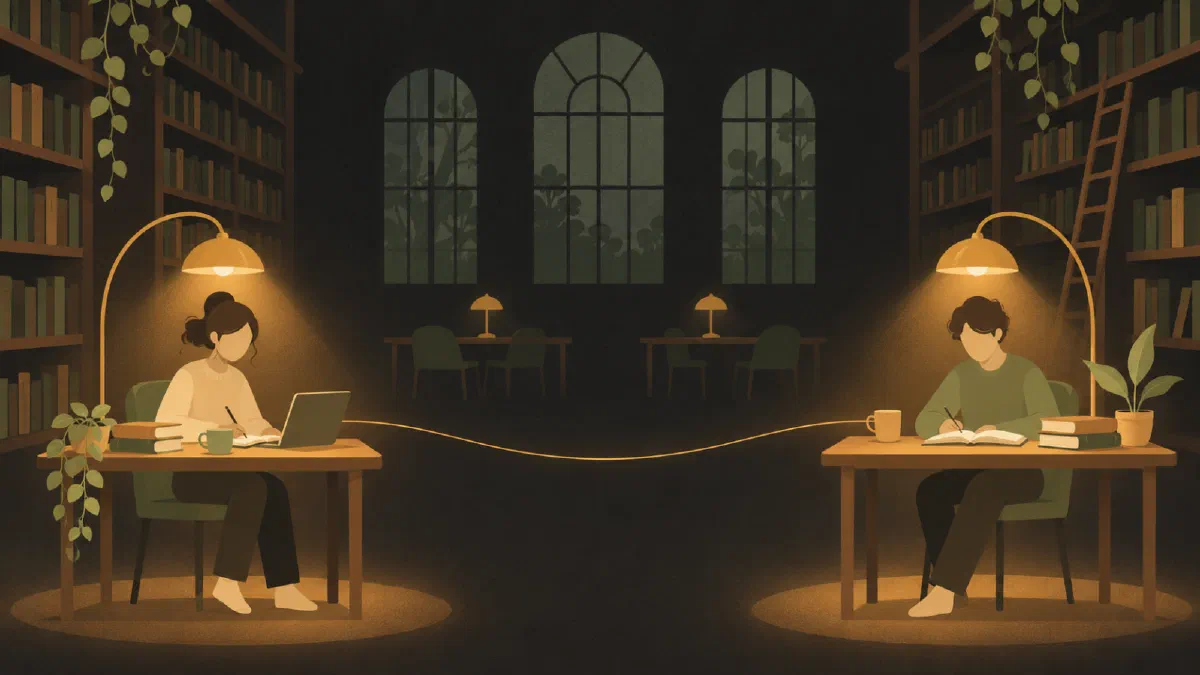
You finally have a free evening for your course, you open the textbook, and twenty minutes later you are reorganising your desktop. Many people find that studying next to someone else, even a stranger, makes it easier to start and keep going. This guide shows how to set up body doubling for studying in a library, on a video call or with a study-with-me video, with a session script you can copy and simple etiquette that keeps everyone focused.
Body doubling for studying in one paragraph
Body doubling means doing a task while another person is present, usually each working on your own thing. It is a name that grew up in ADHD and neurodivergent communities, not a diagnostic term or a treatment. A 2024 survey of 220 people found that people body double in the same place or remotely, live or recorded, with people they know or with strangers, and that studying is one of the tasks they use it for, alongside work, chores and exercise. Participants described wanting to build momentum and stay on task. If you want the full background first, read our guide to what body doubling is and how it helps ADHD focus. This article stays practical: how to make it work for study sessions.
What the research says about studying alongside others
The honest picture is that body doubling is popular but barely studied, and nothing yet shows it improves grades or exam results. Here is what is known that is relevant to studying.
| Research | What it looked at | What it found | What it cannot tell you |
|---|---|---|---|
| Schuenke, Dickenson and Moore, 2025 | 26 people with and without ADHD took two reading comprehension tests, one with a body double present and one alone, while EEG recorded focus and calmness measures | No statistically significant difference between the two conditions, no consistent negative effects, and what the authors call promising trends for unmedicated participants with ADHD | Whether body doubling helps in real study sessions; the sample was small and the trends were not significant |
| Lee and colleagues, 2021 | An analysis of 30 study-with-me videos and interviews with 12 viewers | Viewers used the videos to create a study atmosphere cheaply, to get a manageable sense of peer pressure and for emotional support while studying alone | Whether the videos improve learning; it describes experiences of a small group |
| Hou and colleagues, 2025 | An online survey of 509 Chinese undergraduates who used study-with-me livestreams or videos | Students who felt more peer support reported more motivation, self-efficacy, engagement and satisfaction, and less test anxiety | Cause and effect; the authors note the design is cross-sectional and the sample comes from one specific context |
| Bond and Titus, 1983, summarised in an open social psychology textbook | A meta-analysis of over 200 studies on how the presence of others affects performance (“social facilitation”) | The presence of others increased performance on simple tasks but decreased the rate and quality of performance on complex tasks | Anything specific about body doubling; these studies were not about a quiet study partner |
Two practical lessons follow. First, there is no evidence-based reason to expect body doubling to work for everyone, so test it on your own study sessions. Second, the older social facilitation research suggests that company may help more with well-learned, routine work than with brand-new, difficult material. The textbook describes a classic explanation from the psychologist Robert Zajonc: others’ presence raises arousal, which tends to help on easy or well-learned tasks and hurt on difficult or not well learned ones. That shapes which study tasks you bring to a session, which we cover below.
Choose your setup: library, video call or study-with-me
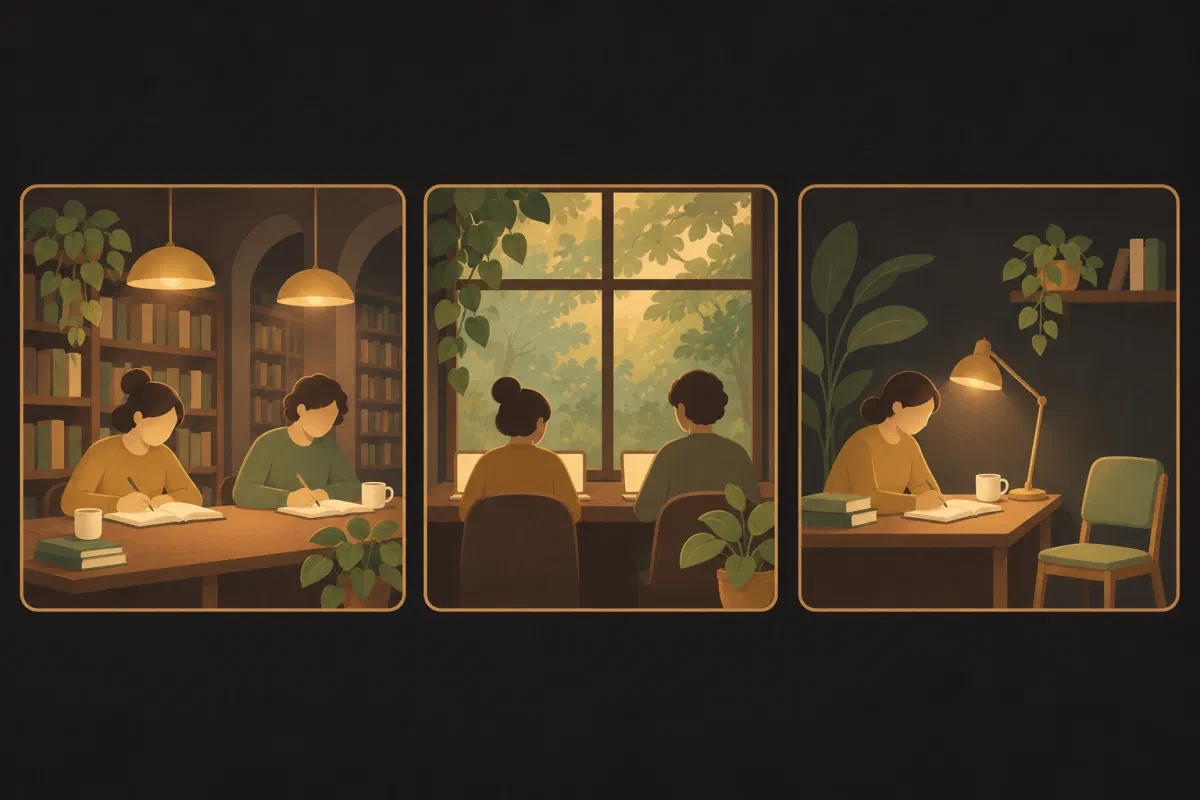
The three most common ways to body double for studying each solve a different problem. Pick the one that fits your week, not the one that sounds best.
| Setup | Best when | What you need | Main risk |
|---|---|---|---|
| Library or study hall | You can get out of the house and home is full of distractions | A seat, headphones, your materials packed the night before | Travel time eats into the session; noise in busy areas |
| Video call with a study partner | You have a classmate, friend or colleague who also studies, or you work from home | A fixed time slot, cameras agreed, microphones muted | The call turns into a chat |
| Study-with-me video | You have nobody to schedule with, or you study at odd hours | A long video with a visible timer, ads and autoplay dealt with | Browsing for the perfect video instead of studying |
Library setup
A library gives you a room full of people who are already studying, so the “body double” is the room itself. To make it work:
- Choose your zone. A silent area works for reading and memorising; a group or café area suits work where you might mutter to yourself, like practice problems.
- Pick a seat with a view of other people studying, not a wall or a window onto a busy street. The point is to see others working.
- Pack for one task. Bring the materials for the one thing you plan to do, plus water. Leave the rest at home so there is less to fiddle with.
- Set your end time before you sit down. “I leave at 8:30” makes the session finite.
- Bring a friend only if you can both stay quiet. If you go together, sit across from each other, agree to talk only on breaks, and meet outside for the check-out.
If you have ADHD and are enrolled in a course, the NHS notes that you can request changes at your place of study to help you manage ADHD, known as reasonable adjustments, and gives “a personalised work space in a quiet area” as one example. A library seat with company is not a replacement for that conversation; it is just one setup you can arrange yourself.
Video call setup
A video call with someone you know gives you a real person at a fixed time, which can help most with starting. To keep it a study session rather than a social call:
- Book a recurring slot, such as Tuesday and Thursday, 7 to 8 pm. Recurring sessions mean you only negotiate once.
- Agree on cameras and microphones in advance. A common default is cameras on, microphones muted during work, unmuted for the check-in and check-out.
- Point the camera at your desk or hands if you feel self-conscious about your face. Seeing that the other person is working is usually enough.
- Use the call app only for the call. Keep your study material in a separate window and close other chats.
- Agree what happens if one of you is late or cancels. For example: “If I’m not there by 7:05, start without me.” A fallback like a study-with-me video keeps the slot alive.
If you study with strangers rather than a friend, live online study rooms work in a similar way; we compare those formats in our guide to virtual study rooms online.
Study-with-me setup
A study-with-me video shows someone studying quietly for a long stretch, often with a timer on screen. The 2021 interview study found that viewers used them to create a study atmosphere, to get a controllable sense of peer pressure and for emotional support while studying alone. To set one up so it helps rather than distracts:
- Choose your video before the session, not during it. Keep two or three favourites saved so you never have to browse.
- Match the video’s timer to your plan. If you want 40-minute blocks, pick a video built around them, or use the video for company and run your own timer.
- Make it full screen or put it on a second device so recommendations and comments are out of sight.
- Decide your task before you press play, and write it down.
Our separate guide covers how to pick a good study-with-me video in more detail.
Match the setup to the study task
Because company may help more with well-learned work than with new, hard work, it is worth matching the task to the setup. No study has tested these exact pairings, so treat this table as a starting point to experiment with, based on the social facilitation findings above and on practical sense.
| Study task | Good body doubling fit | Why |
|---|---|---|
| Reviewing flashcards or notes you have seen before | Any setup | Familiar, routine work; company mainly helps you keep going |
| Rewriting or organising lecture notes | Video call or library | Low-thinking work that is easy to postpone |
| Reading an assigned chapter | Library silent zone or study-with-me video | Needs quiet, but benefits from a reason to stay in your seat |
| Practice questions on a topic you know | Video call or library | Familiar enough that company is unlikely to get in the way |
| Learning a brand-new, difficult concept | Body double for the first 10 minutes, then a quiet solo block | Complex tasks are where others’ presence has been linked to slower, poorer-quality work |
| Writing an essay or assignment | Body double to start and outline; draft in whichever setup feels calmer | Starting is often the hardest part; drafting needs deep thinking |
| Timed exam practice | Library or alone, matching exam conditions | You want the conditions to resemble the real thing |
Which study techniques to use inside the session (self-testing, spacing, practice papers) is a separate question; see our guide to the best study methods for exams.
A session script for one 60-minute study session
This script works for all three setups. Adjust the times, but keep the shape: plan, short check-in, quiet work, short break, quiet work, check-out. The lines in quotation marks are examples of what to say or write.
- Before the session (2 minutes): name one task and what “done” means. Not “study biology” but “review chapter 4 flashcards until I get each card right once”. If you cannot define done, make the task time-based: “40 minutes on chapter 4 practice questions”.
- Add an if-then plan for your usual derailment. For example: “If I want to check my phone, I’ll write the thought on a sticky note and keep going.” Plans that link a specific situation to a specific action are called implementation intentions, and a meta-analysis of 94 tests found they had a medium-to-large positive effect on reaching goals people already intended to pursue.
- Check in (1 minute). On a call or with a friend, each person says their task in one sentence: “I’m doing chapter 4 flashcards, done at 8.” In a library or with a video, write it at the top of your page.
- First focus block (25 minutes). Start a timer. Microphones muted, phone face down or out of reach. If you get stuck, mark the spot and move on rather than asking your partner.
- Short break (5 minutes). Stand up, drink water, look away from the screen. Keep the break talk-free, or agree that breaks are the only time to chat. A 2022 meta-analysis of micro-breaks of up to 10 minutes found small improvements in vigour and small reductions in fatigue; the effect on overall performance was not statistically significant, with significant effects only on less cognitively demanding tasks.
- Second focus block (25 minutes). Same rules. If the first block went badly, shrink the task rather than extending the time.
- Check out (2 minutes). Each person says what they did, honestly and without comparing: “Got through 30 cards; 8 still wrong, I’ll start with those next time.” Then write one line in a notebook or tracker. A meta-analysis of 138 randomised studies found that interventions to monitor progress gave a small-to-moderate improvement in goal attainment, with larger effects when progress was reported publicly or physically recorded.
- Book the next session before you leave (1 minute). Put the time in your calendar while the session is still fresh.
Total: about 60 minutes, with 50 minutes of focused study. For a first try, one 25-minute block with a check-in and check-out is plenty.
Fill-in study session card
Copy this into your notes app or onto an index card and fill it in before each session. It takes about a minute and does most of the work of the check-in for you.
- Date and time: ____ to ____
- Setup: library / video call with ____ / study-with-me video
- One task: ____________________
- “Done” means: ____________________
- If ____ happens, then I will ____.
- Blocks: ____ minutes focus, ____ minutes break, ____ blocks
- Check-out, what I actually did: ____________________
- How it felt: full focus / some distractions / not today
- Keep or change next time: ____________________
After four or five cards you will be able to see patterns: which setup, which time of day and which kinds of study tasks go best with company.
Body doubling etiquette for study sessions
Good etiquette is what keeps a body doubling session from turning into a chat, or into a session where one person feels watched. These are the basics for each setup. For a full written agreement between study partners, see our guide to body doubling rules.
In a library
- Follow the zone’s rules: silent means silent, including phone vibrations and loud keyboards.
- Do not save seats for hours or spread materials over several seats when the room is busy.
- If you came with a friend, talk outside or in a group area, not across the table.
On a video call
- Join on time and leave on time; an agreed end is part of what makes the session work.
- Keep your microphone muted during focus blocks, and use the chat box only for “back in 2 minutes”.
- Agree on cameras in advance and respect the other person’s choice; cameras off for one person can still work.
- Do not comment on the other person’s room, pace or progress, and do not screen-share unless you both agreed to.
- Keep the check-out short and about tasks, not about how much each person did.
In a live online study room
- Follow the room’s posted rules, keep chat to the breaks and never share other participants’ details or screenshots. With a pre-recorded video, the only rule is your own: no switching videos mid-block.
Between regular study partners
- Say no to a session when you cannot focus, rather than coming and chatting.
- If the arrangement stops working, say so plainly: “I think I need solo sessions for a few weeks before the exam.” It is a study tool, not a test of the friendship.
If you also want to use body doubling for your job rather than your course, the setup and etiquette at the office are different; see body doubling at work.
Worked example: studying for a certification after work
The following is an illustrative example, not a real user story.
Kasia works full-time in accounts and is studying for a professional certification module in the evenings. She has ADHD and has noticed that her study evenings tend to disappear: she sits down at 7, checks one message, and at 9 she has only skimmed a chapter.
Monday, lunch break. She messages a friend from her course: “Video call Tuesday and Thursday, 7 to 8? Cameras on, mics off, check-in and check-out only.” He agrees.
Tuesday, 6:55 pm. She fills in a session card. Task: “Chapter 6 practice questions, the topic from last week’s lecture. Done = 15 questions attempted.” If-then plan: “If I get stuck on a question, I’ll star it and do the next one.”
7:00 pm. Check-in: “Chapter 6 questions, 15 of them.” Her friend is rereading his notes. She starts a 25-minute focus session.
7:12 pm. She gets stuck on question 5, wants to search for the answer and ends up with her email open. She sees her friend writing on screen, closes the email, stars question 5 and moves on.
7:25 pm. Five-minute break. She refills her water and stretches; neither of them talks.
7:30 pm. Second block. She finishes question 15 at 7:52 and uses the rest of the block to check two starred questions in the textbook.
7:55 pm. Check-out: “Fifteen done, three starred, two of those solved.” He says he got through two lectures of notes. They confirm Thursday.
Thursday. The new topic in chapter 7 is hard and unfamiliar. Kasia uses the first 10 minutes of the call to skim the chapter headings and write questions, then tells her friend: “I’m switching to solo reading for this one, see you Tuesday.” She reads alone for 40 minutes in a quiet room.
What made it work was not only her friend’s presence but the named task, the definition of done, the if-then plan, the fixed end and the check-out. On the night the material was new and difficult, she used company only to get started.
When body doubling doesn’t help your studying
Body doubling does not suit every person or every study task. In the 2025 reading test study, a body double made no statistically significant difference, so if it does nothing for you, that is a normal result, not a failure. Common problems and what to try:
| Problem | Try this |
|---|---|
| You feel watched and cannot concentrate | Cameras off, a library instead of a call, or a recorded video instead of a live person |
| The session becomes a social call | Talk only at check-in, breaks and check-out; move social time to after the session |
| Hard material feels harder with company | Use body doubling for starting and routine review, and study new, complex topics alone |
| You only study when someone is there | Run some solo sessions with the same script; the structure works without the person |
| Your partner keeps cancelling | Keep a study-with-me video or a library slot as a standing fallback |
| You spend the session choosing videos or seats | Decide the setup the day before and write it on your session card |
| You finish sessions but forget what you studied | The setup is working; the study method may need changing, for example more self-testing |
If difficulty starting, organising your time and finishing tasks keeps affecting your studies despite trying different strategies, it may be worth getting checked. The NHS lists finding it hard to organise your time and finding it hard to follow instructions or finish tasks among the inattentive symptoms of ADHD in adults, and advises that if ADHD symptoms are affecting your studies, work or relationships, you make a GP appointment to find out what support is available. Wherever you live, a doctor is the right person to talk to about assessment and treatment; body doubling is a study strategy, not a substitute for that.
Using a timer for body doubling study sessions
A shared timer gives both people the same frame, so nobody has to watch the clock. On a call, one person starts the timer and says “go”; in a library or with a video, your own timer does the job.
You can use the free Cyklio Focus Timer in your browser for this. If you want to track your study sessions over weeks, Cyklio is the focus timer app we make at Mindly 360. It offers focus sessions from 10 to 60 minutes, a daily goal in hours with a progress ring, a rating after each session (full focus, distractions, not today) and daily, weekly and monthly reports, which makes it easy to compare which setups work for you. It is available on Android, with iPhone coming, in English and Polish, and has a 7-day free trial with full access and no account or card needed. It does not diagnose or treat anything; it simply gives your sessions a clear start, end and record.
Summary
- Body doubling for studying means studying while someone else is present: at a library, on a video call or through a study-with-me video.
- Research is small: a lab study on reading tests found no significant difference and no consistent harm, and studies of study-with-me videos describe a study atmosphere and controllable peer pressure but cannot show better learning.
- Choose the setup by the task. Company tends to suit routine review and getting started; brand-new, complex material may go better in a quiet solo block.
- Use a script: one named task with a definition of done, an if-then plan, a check-in, timed quiet blocks with a short break and a written check-out.
- Keep etiquette simple: agree on cameras and microphones, keep talk to the check-in, breaks and check-out, and never compare progress.
Your next step: pick one study task for this week, fill in the session card, message one classmate or friend with “Can we do a 30-minute silent study call on Thursday?”, and start the session in the Cyklio Focus Timer when you both join.