


A Pomodoro timer looks simple: set it, work, rest. Whether it actually helps you usually comes down to a handful of choices, such as how long the sessions are, how the alarm sounds, what you do when it rings and how you deal with the urge to check something halfway through. This guide walks through each of them and ends with a one-session plan you can use today.
What a Pomodoro timer is and how it works
A Pomodoro timer is any timer you use to split work into a fixed focus session followed by a short break. The name comes from the Pomodoro Technique, a time management method developed by Francesco Cirillo in the 1980s.
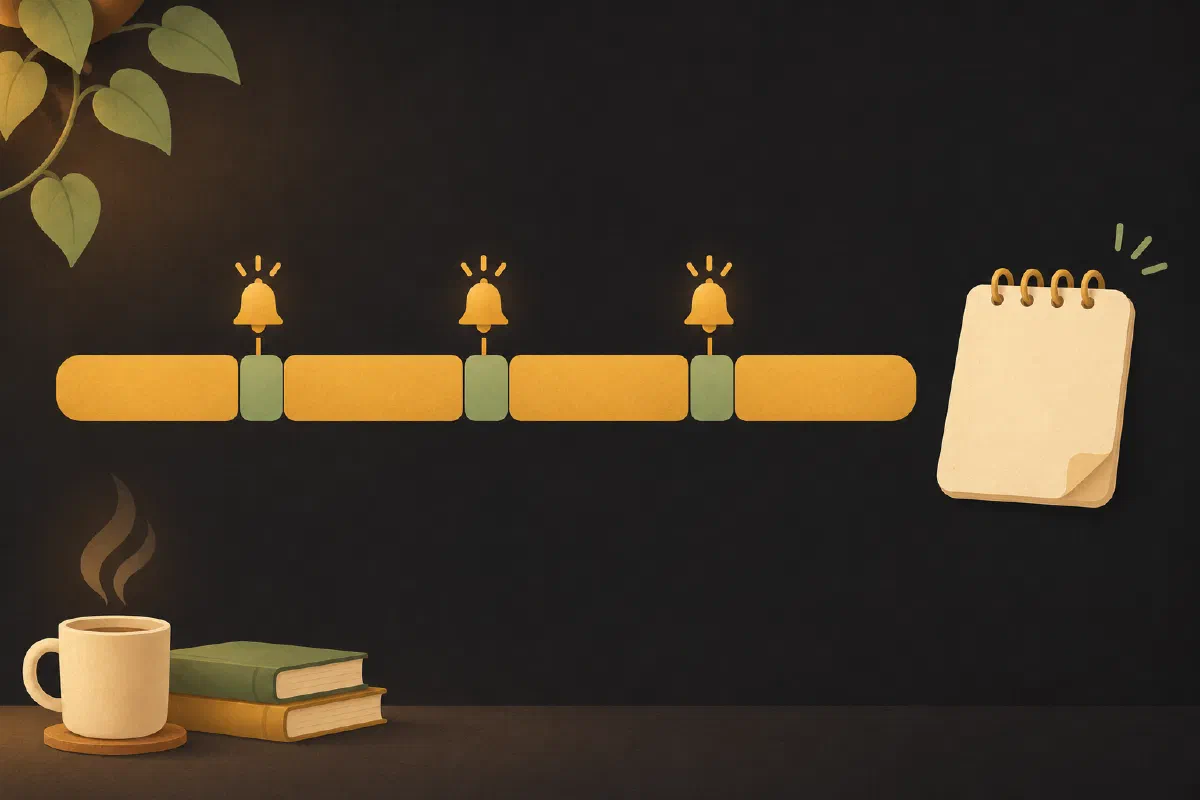
In the classic version, as summarised on a widely shared Pomodoro Technique cheat sheet, you:
- set the timer to 25 minutes and work on one task until it rings,
- take a short break of 3 to 5 minutes,
- take a longer break of 15 to 30 minutes after every four sessions.
The timer itself can be almost anything. Cirillo’s own site says you can begin with a timer, pencil and paper, and that both mechanical and software timers help you focus and remember to take breaks. It also describes breaks as part of the practice rather than a reward for doing more.
In practice, the timer does three jobs for you. It turns “work on the report” into something small and concrete (“work on the report until this rings”). It gives you permission to ignore everything else for a while. And it tells you when to stop, so you do not have to keep an eye on the clock yourself.
Which kind of timer to use
- A browser timer, such as the free Cyklio Focus Timer, needs no install and sits in a tab next to your work.
- A phone app goes everywhere with you, but it puts the timer on the same device that delivers your messages. If you go this way, see the comparison of the best Pomodoro apps.
- A physical timer on your desk keeps the countdown off your screen. If that appeals to you, read about physical Pomodoro timers.
How to use a Pomodoro timer: one session, step by step
Here is a full session from start to finish. The first few steps take a minute or two.
- Pick one task and write it down in a few words. “Draft the intro of the Q4 report” works better than “report”. If the task feels too big to start, write down only the first small step.
- Gather what you need before you start. Water, the file, the notes, a charger. That leaves you fewer reasons to get up.
- Silence notifications for the length of the session. Turn on Do Not Disturb on your phone and computer, and close email and chat tabs you do not need.
- Open a distraction list. A sticky note or a text file is enough. You will use it in step 7.
- Set the timer. If you are unsure, choose 25 minutes of work and a 5-minute break.
- Start right away. If the task feels hard, begin with the easiest part. Starting is the goal of the first minute, not doing it well.
- Work only on that task until the timer rings. When a thought pops up (“I need to reply to Sam”), write it on the distraction list in a few words and go back to the task. The cheat sheet’s rule is short: once a session begins, it has to ring.
- When it rings, stop and leave a note. Write one line about where you are and what comes next, then mark the session as done (a tick or an X on paper is fine).
- Take the break away from the task. Stand up, move, look away from the screen.
- Decide on the next round. Start another session, or take the longer break if you have just finished your fourth.
Choosing your session and break length
There is no session length that research has shown to be best for everyone. The studies we have compare planned breaks with self-chosen breaks, and their results point in different directions:
- In a 2023 study with 87 university students, students who took planned breaks (24 minutes of study and 6 minutes of break, or 12 and 3) reported less fatigue and distractedness and more concentration and motivation than students who chose their own breaks. The authors also report similar task completion in a shorter time.
- In a 2026 study with 176 students doing a reading task, the opposite happened for mood: self-chosen breaks led to more energy, concentration and motivation than short planned breaks. Learning results did not differ between the groups, and the authors suggest that whether planned breaks help may depend on their timing and length.
- A 2022 meta-analysis of 22 study samples with 2,335 participants found that short breaks of up to 10 minutes gave a small boost to energy and a small drop in fatigue. Their effect on performance overall was not significant, and longer breaks were linked to bigger performance gains. For very draining tasks, the authors suggest breaks may need to be longer than 10 minutes.
The practical reading: regular breaks are worth having, and the exact numbers are yours to choose. University study advice says much the same. The University of Rochester’s Learning Center gives 50 minutes of study with a 10-minute break, or 25 minutes with a 5-minute break, as examples, and says the exact timing matters less than taking regular, short breaks.
A starting point for your situation
| Your situation | Try first | Why this is a reasonable start |
|---|---|---|
| You struggle to start at all | 10 or 15 minutes, 3-minute break | Short enough that starting feels possible; lengthen it once starting gets easier |
| Admin, email, small tasks | 25 minutes, 5-minute break | The classic rhythm; most small tasks fit inside one or two sessions |
| Writing, coding, analysis that needs a warm-up | 50 minutes, 10-minute break | A common study-advice rhythm that leaves more time after you get going |
| Very draining work (dense reading, hard problems) | 40 to 50 minutes, 15-minute break | Research on breaks suggests draining tasks may need breaks longer than 10 minutes |
| A calendar full of meetings | Whatever fits the gap: 20 or 30 minutes | A short session that finishes beats a long one cut off by a meeting |
For the long break, the classic range is 15 to 30 minutes after four sessions. On long study or work days, the Rochester guide also suggests a longer break of at least 30 to 60 minutes roughly every three hours, which in an office day often lines up with lunch.
Test one change at a time
Keep one setting for three to five workdays. After each session, rate it in a word: full focus, some distractions, or not today. Then change one thing, the session length or the break length, never both, and compare. If you want a closer look at the popular rhythms (25/5, 50/10, 52/17 and 90 minutes) and where each one comes from, see how to choose your Pomodoro intervals.
Alarm, sound or silent: setting up the end signal
The end signal is easy to overlook. An alarm that makes you jump turns every session into a small fright; a signal that is too quiet means you work straight through the break.
| End signal | Works well when | Watch out for |
|---|---|---|
| A soft sound or beep | You work alone or with headphones off and lose track of time easily | Loud or harsh tones can startle you; colleagues in an open office may not enjoy it |
| Vibration (phone or watch) | You share a room or wear headphones | Easy to miss if the device is in a bag or another room |
| Visual only (a flash, a changing tab title) | You glance at your screen often | Easy to miss when you are absorbed; works best as a backup to sound |
| No signal, checking yourself | Rarely the best choice | You end up watching the clock, which is the job the timer was meant to take over |
A few setup tips:
- Pick the gentlest sound you still notice. Test it once at your normal working volume before you rely on it.
- Decide whether you want a ticking timer. Some people find the steady tick of a mechanical timer a helpful cue to keep going; others find it distracting. Try both if you can.
- Hide the countdown if you keep checking it. Many timers let you minimise the window or cover the display. Trust the alarm.
- Choose between auto-start and manual start. Auto-start rolls straight into the next phase, which keeps the rhythm going but can push you into a session you are not ready for. Manual start gives you a moment to decide. The Cyklio Focus Timer waits for you between phases unless you tick “Auto-start the next phase”, has an optional beep, and shows the time left in the browser tab title.
Silence everything else
While the timer’s own signal should be easy to hear, every other alert should be quiet. In one experiment on phone notifications, simply receiving a notification disrupted performance on an attention-demanding task, even when people did not touch their phone, and the effect was comparable in size to actively using a phone. Turn on Do Not Disturb for the length of the session, and if you need to stay reachable, allow calls only from the few people who might truly need you.
What to do when the timer rings
When the timer rings, the classic rule is to stop: work until it rings, mark the task, then take a short break. Stopping in the middle of something can feel wrong, so here is a routine that makes it easier.
- Finish the sentence, not the section. Give yourself a few seconds to complete the line you are typing, then stop.
- Write one line about your next step. For example: “Next: add the March figures to table 2.” This line does two jobs. Research on attention residue suggests that when people switch away from an unfinished task, their attention tends to stay with it and their performance on the next task suffers. And in a series of experiments, making a specific plan for an unfinished goal removed its intrusive thoughts during an unrelated task. A one-line plan is a small version of that: it can make the break feel like a pause instead of an interruption.
- Mark the session. A tick on paper, an X next to the task or a rating in your app.
- Take the break. If it was your fourth session, take the longer one.
“But I was in the flow”
If the timer regularly rings just as you get going, that is useful information. It usually means the session is too short for this kind of task, not that you should skip breaks. Try 40 or 50 minutes for that task type. Skipping breaks is not the fix: the break meta-analysis found that short breaks slightly reduced fatigue.
When the task is not finished
That is normal. Most real tasks take several sessions. A rule of thumb from the cheat sheet: if a task takes more than five to seven sessions, break it into smaller tasks; if it takes less than one, group it with other small tasks.
What to do during the break
A break works best when it is actually different from the work. The Rochester Learning Center recommends getting up, walking around, stretching and getting a drink of water, and warns that turning to social media or email during a break is a mistake. For your eyes, the American Academy of Ophthalmology suggests making a habit of looking up from the screen at something in the distance.
Good short breaks:
- stand up and stretch, or walk to the window,
- refill your water or make a tea,
- look at something far away for a minute,
- do a small physical chore, such as clearing your desk.
For more ideas sorted by break length, see Pomodoro break ideas.
How to ignore distractions during a session
Distractions come from two directions: your own head and other people. Plan for both.
Distractions from your own head
These are the sudden urges: check the delivery, look something up, answer that message. The cheat sheet’s approach is to make each one visible: put a mark on the sheet where you record your sessions, write the new item down (under “Unplanned & Urgent” on today’s list if it cannot be put off, otherwise on your full list of activities), and carry on with the current session until it rings.
In practice:
- Write the thought in three or four words on your distraction list.
- Return to the task right away, even if it takes a few seconds to find your place.
- Go through the list in your next break or at the end of the day.
Writing it down is not just bookkeeping. The plan-making study mentioned above suggests that a specific plan can stop an unfinished goal from nagging at you, so “reply to Sam at 11” may quiet the urge better than trying not to think about it.
Interruptions from other people
A colleague stops by, a chat message pings, someone calls. The cheat sheet recommends a three-part response, the inform, negotiate and call strategy, and points out that a delay of 25 minutes, or even two hours, is almost always possible for things commonly treated as urgent.
A script you can borrow: “I’m in the middle of something. Can I come back to you at 10:30?” Then write it on your list and keep your promise.
This matters because interruptions have a cost even when you recover from them. In an experiment on interrupted work, people made up for interruptions by working faster, and the quality of their work did not differ, but they reported more stress, frustration, time pressure and effort.
Keep your phone out of the session
Put the phone face down in another part of the room, or in a drawer. If you find you need a timer that also locks apps or websites during a session, see Pomodoro timers that block distractions.
When a session really breaks
Sometimes a session is lost: a fire drill, a call you have to take, a sick child. In the classic method, a session is indivisible: there is no half-session to save. You do not have to treat this as a failure. Reset the timer, read your last note, and start again, perhaps with a shorter session. If sessions break again and again at the same time of day, move your focus sessions to a quieter slot.
Habits that keep the timer working for you
A timer only helps if you remember to start it. These habits make starting more automatic.
- Use an if-then plan. For example: “When I sit down after the 9:00 stand-up, I start one 25-minute session on my most important task.” A meta-analysis of 94 tests found that this kind of plan, known as an implementation intention, had a medium-to-large positive effect on reaching goals, including on getting started and on protecting ongoing work from distractions.
- Same time, same place. In a study of habit formation, 96 volunteers repeated a chosen daily eating, drinking or activity behaviour in the same context. It took between 18 and 254 days for the behaviour to become as automatic as it was going to get, so expect weeks rather than days.
- Missing a day is fine. The same study found that missing one opportunity did not materially affect the habit forming. If you skip a day, start again the next.
- Start with one session a day. One protected session every morning is easier to keep than a goal of eight, and you can add more later.
- Review in two minutes. At the end of the day, count your sessions and glance at your ratings. Look for patterns, such as your best time of day, not for a score.
If you have ADHD and the standard setup does not fit you, see how to adapt the Pomodoro Technique for ADHD.
Worked example: one morning with a timer
Here is an illustrative example of how this can look in a working day. Maya is an operations analyst. This morning she needs to start a supplier report, clear her inbox and prepare for an 11:00 meeting.
| Time | Timer | What happens |
|---|---|---|
| 8:55 | Planning, 5 minutes | Writes three tasks on a card, puts her phone in a drawer, turns on Do Not Disturb, opens a distraction list |
| 9:00 | Session 1, 25 minutes | Report outline. Adds “book dentist” and “check supplier invoice” to the list |
| 9:25 | Break, 5 minutes | Refills her water, stretches by the window |
| 9:30 | Session 2, 25 minutes | Drafts the first section. A colleague asks a question at 9:41: “Can I come to you at 9:55?” He agrees, and she writes it down |
| 9:55 | Break, 5 minutes | Answers the colleague in two minutes, then stands up. Next-step note: “Add delivery delays to section 2” |
| 10:00 | Session 3, 25 minutes | Inbox, replying in order and archiving |
| 10:25 | Break, 5 minutes | Short walk to the kitchen |
| 10:30 | Session 4, 20 minutes | Meeting prep, shortened to fit before the meeting |
| 10:50 | Long break | Coffee before the 11:00 meeting; the meeting and lunch work as her long break |
After lunch, Maya reads her note, “Add delivery delays to section 2”, and starts the next session without having to work out where she was. She clears the distraction list in a single short session later in the afternoon. She never waited for a perfect two-hour block, and she shortened one session to fit the calendar instead of skipping it.
Common problems and quick fixes
| Problem | Try this |
|---|---|
| I keep checking how much time is left | Hide the countdown and trust the alarm |
| The alarm makes me jump | Use a softer sound or vibration |
| I ignore the alarm and keep working | Put the timer where you have to get up to stop it, or turn on auto-start so the break begins anyway |
| My breaks turn into 30 minutes of scrolling | Time the break too, stand up, and leave the phone where it is |
| I cannot make myself start the session | Set 10 minutes and write down only the first tiny step |
| Colleagues interrupt every session | Inform, negotiate and call back later, and move sessions to quieter hours |
| 25 minutes feels too short for deep work | Try 50 minutes with a 10-minute break for that type of task |
| I lose count of my sessions | Mark each one on paper or let your timer count them |
A fill-in session card
Copy this card into a note or print it, and fill it in before your first session tomorrow.
Task (one line):
First tiny step:
Session: ___ min    Break: ___ min    Long break after: ___ sessions
End signal:  sound / vibration / screen
Do Not Disturb on:  yes / no
Phone out of reach:  yes / no

Distraction list:
-
-

Where I stopped / next step:

How it went:  full focus / some distractions / not today
Summary and your next step
Using a Pomodoro timer well comes down to a few decisions you make once and then adjust:
- One task per session, written down before you press start.
- A length that fits the task: 25/5 to begin with, shorter if starting is hard, longer for deep work.
- An end signal you notice but do not dread, and every other notification silenced.
- A stopping routine: finish the sentence, write your next step, take a real break.
- A distraction list for your own urges and a polite “Can I come back to you?” for everyone else.
- A fixed time and place for your first session of the day.
Your next step: pick tomorrow’s first task now, fill in the session card, and run one session with the free Cyklio Focus Timer. If you would like your sessions tracked over time, Cyklio, our focus timer app from Mindly 360, lets you set sessions from 10 to 60 minutes, set a daily goal in hours, rate each session and see daily, weekly and monthly reports. It has a 7-day free trial with no account or card needed and is available on Android, with iPhone coming. You can read more about it on the app page.