


The classic Pomodoro rhythm assumes you own your time: 25 minutes of work, a short break, repeat. Most workdays don’t look like that. This guide shows how to keep the method useful when your calendar has meetings, your chat keeps pinging and colleagues stop by, and it ends with a sample schedule you can copy.
Why the classic rhythm clashes with a real workday
The original method is simple. Francesco Cirillo’s cheat sheet tells you to pick a task, set a timer for 25 minutes, work until it rings, take a 3 to 5 minute break, and take a longer break of 15 to 30 minutes after every four sessions. Two rules make it strict: a pomodoro is indivisible, and once it starts, it has to ring.
The same cheat sheet also admits the problem. It notes that “people who work in social environments have to deal with external interruptions”, such as a colleague asking how to compile a report or an email program that beeps with every new message.
Research on office work shows how often this happens. In a detailed observation of 24 information workers, Gloria Mark and colleagues found work to be highly fragmented, with 57% of people’s “working spheres” interrupted. Most interrupted work was picked up again the same day, but more than two other activities came in between before it was.
Survey data points the same way. In Microsoft’s 2023 Work Trend Index, a survey of 31,000 workers in 31 markets, 68% said they don’t have enough uninterrupted focus time during the workday. Microsoft’s usage data in the same report suggested the average employee spends about 57% of their time communicating in meetings, email and chat. This is a company report, not peer-reviewed research, but it matches what many office workers describe.
Meetings also cost more than their length. In a widely shared 2009 essay, programmer and investor Paul Graham argued that people who make things prefer to use time in units of half a day at least, and that a single meeting can split an afternoon into pieces too small for hard work. It is an opinion piece, not a study, but it explains why one 30-minute meeting at 14:00 can feel like it took the whole afternoon.
So the useful question at work is not “how do I follow every rule?” It is “which parts of the method do I keep?” A good working version keeps four things:
- One task per session. You decide what you’re working on before the timer starts.
- A visible end. You know when you’ll be free again, and so can others.
- A real break. You stop, even briefly, before the next session or meeting.
- A record. You note what interrupted you, so you can fix the pattern later.
Set up your day in sessions, not hours
Before you can fit sessions around meetings, you need to know what you’re fitting. The cheat sheet suggests keeping a running list of all your work and copying the tasks for today onto a separate To Do Today list each morning. At work, a short planning step at the start of the day covers it:
- Look at today’s calendar. Write down every fixed meeting and its end time.
- List what must happen today. Keep it short: what would make today a good day if nothing else got done?
- Estimate each task in sessions. The cheat sheet’s rule of thumb: if a task needs more than 5 to 7 pomodoros, break it down; if it needs less than one, combine it with other small tasks.
- Put your hardest task in your longest free gap. That is usually the only place it fits.
- Group small tasks into batches. Email replies, approvals, booking a room, quick updates: these go into short gaps or one dedicated session.
- Leave one or two sessions unplanned. Something will come up. If nothing does, you have time for the next task on the list.
This turns a vague day (“work on the proposal, catch up on email”) into a plan you can check: four sessions on the proposal, one email batch, two buffer sessions.
Adapting your intervals around meetings
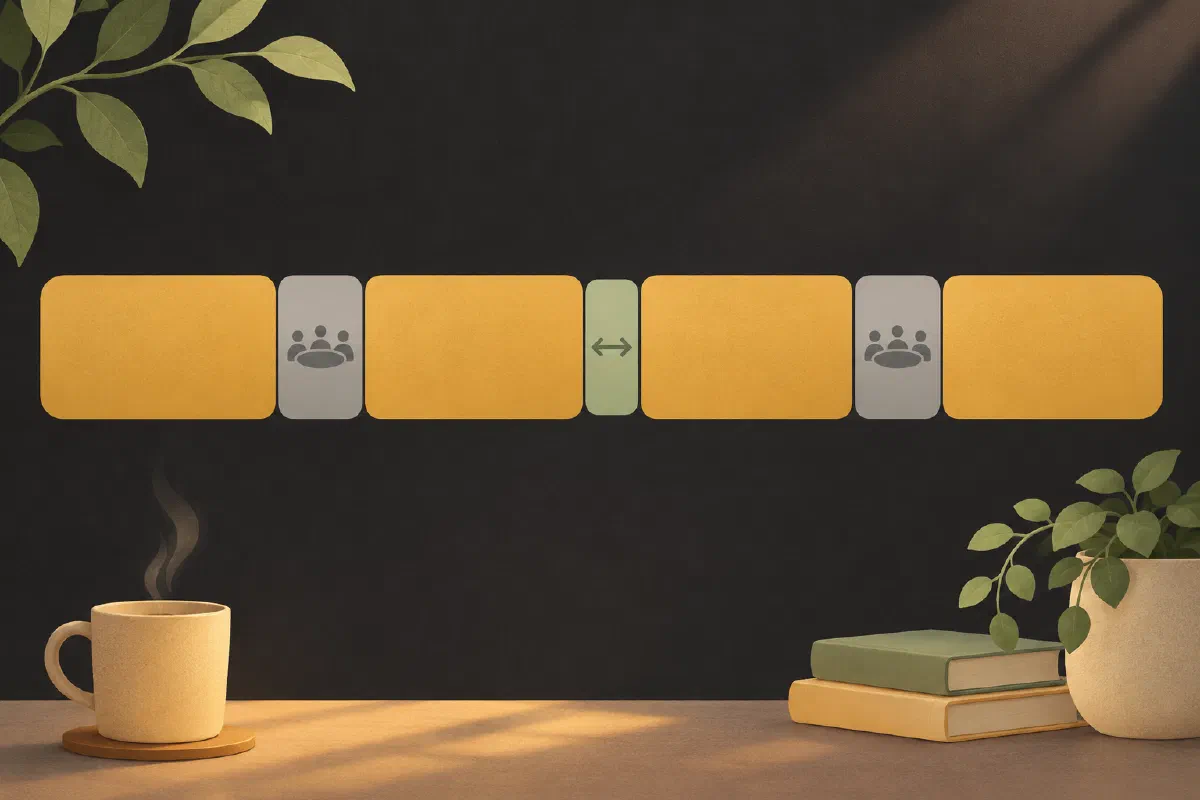
The original method uses 25-minute intervals and doesn’t allow you to shorten a session. In an office, that rule often collides with the calendar. A practical adaptation is to let the gaps between meetings decide the shape of each session. The table below is a rule of thumb from common practice, not a research finding; adjust it to your work.
| Free gap before the next meeting | What to do with it | Example |
|---|---|---|
| Under 15 minutes | No session. Prepare for the meeting, do one tiny admin task or take a break. | Read the agenda, refill your water |
| 15 to 30 minutes | One short session (15 to 20 minutes) on a small, clearly defined task, or a batch of small tasks | Answer five emails, review one short document |
| 30 to 45 minutes | One full 25-minute session plus a buffer | Draft one section of a report |
| 60 to 90 minutes | Two sessions with a short break, plus a buffer | Analyse a dataset, then write up the findings |
| 2 hours or more | A full set of up to four sessions with breaks; your hardest task goes here | Build the first version of a presentation |
A few habits make this work.
Keep a buffer before meetings. Stop 5 to 10 minutes before a meeting instead of starting a session you will have to break. You get time to read the agenda, find the link and arrive calm. Under the original rules a pomodoro is indivisible, so a session cut short by a meeting is not a half-session you can bank; starting one you can’t finish rarely helps.
Avoid stacking meetings back to back where you can. In a small study by Microsoft’s Human Factors Lab, 14 workers wore EEG caps during four half-hour video meetings. When the meetings ran back to back, brain activity linked to stress built up over the two hours; when the same meetings were separated by 10-minute breaks spent meditating, it held steady. It was a small company study published on Microsoft’s own site, not in a peer-reviewed journal, so treat it as a hint rather than proof. Still, if you can schedule meetings to end 5 or 10 minutes early, your break and buffer are built in.
Leave a note before you stop. Switching tasks leaves something behind. In experiments by Sophie Leroy, people found it hard to shift attention away from an unfinished task, and moving on from an unfinished task hurt performance on the following one; she called these lingering thoughts “attention residue”. A one-line note before a meeting (“next: check figures in table 3”) won’t remove that effect, but it makes restarting afterwards faster, because you don’t have to work out where you were.
Cluster meetings when you have a say. Graham describes keeping his meetings in office hours at the end of his day, so they don’t break up his main work. You may not control your whole calendar, but you can often suggest times. Proposing “after 14:00” for your own meetings protects a morning block for focus sessions.
Keep a ready list for cancelled meetings. When a meeting is cancelled, you get a surprise gap. If your To Do Today list already has the next task named, you can start a session within a minute instead of drifting into email.
If you want more detail on session lengths beyond 25 minutes, such as 50/10 or 52/17, see our comparison of Pomodoro intervals and when each fits.
How to handle interruptions at work
Interruptions are where most work sessions fail, so the method treats them as something to manage, not a personal failing. Cirillo’s cheat sheet splits them into two kinds.
Internal interruptions come from you: the urge to check email, look something up or start another task right now. The routine is:
- Put an apostrophe (’) on your sheet, so you can see how often it happens.
- Write the new item down: under “Unplanned and urgent” on today’s list if it really can’t wait, or on your main task list, marked “U” for unplanned, if it can.
- Go back to the current task and finish the session.
External interruptions come from other people and tools: a colleague at your desk, a chat message, a phone call. Mark each one with a dash (-) and use what the cheat sheet calls the Inform, Negotiate and Call strategy:
- Inform: tell the person you’re in the middle of something.
- Negotiate: agree on a time when you’ll deal with it.
- Call back: write it down, and keep your promise when the session ends.
The cheat sheet adds that a delay of 25 minutes, or 2 hours (four sessions), is almost always possible even for things people call urgent. In practice, that sounds like this:
- At your desk: “I’m in the middle of something until 10:40. Can I come over then?”
- In chat: “Focusing until 11:00, I’ll reply then. If it’s urgent, call me.”
- To your manager: “I’m finishing the draft for the client. I can look at this at 14:30. Is that OK, or does it need to be now?”
A clear time gives the other person something to plan around; silence does not.
When you really must stop. Some things can’t wait: a system is down, a client escalation, your manager says it has to be now. Follow the indivisibility rule: stop the session, deal with the situation, and start a fresh session afterwards. Because a session is indivisible, there is no half-session to finish later, and nothing to “make up”.
Why it’s worth protecting a session
Handling interruptions this way can feel stiff at first. The research gives a reason to try it anyway. In an experiment on interrupted work, people completed interrupted tasks faster with no loss in quality, but reported more stress, frustration, time pressure and effort. In other words, interruptions may not show up in your output straight away, but they can show up in how you feel at 17:00.
A quick interruption triage table
| Interruption | Example | What to do during a session |
|---|---|---|
| Your own urge | “I’ll just check my inbox” | Mark ‘, write it down, keep going |
| Colleague, not urgent | “Quick question about the report” | Inform, agree a time, write it down, call back |
| Notification | New email or chat message | Turn notifications off; check at the end of the session |
| Truly urgent | Outage, client escalation, “now” from your manager | Stop the session, handle it, start a new one later |
| Meeting reminder | “Starts in 5 minutes” | This should have been your buffer; stop at a natural point |
Batch email and chat. Following the cheat sheet’s rule of combining tasks shorter than one session, many people handle messages in one or two dedicated batches, plus a quick scan for anything urgent between sessions. A quick scan fits in a break; answering ten messages doesn’t.
How to communicate focus blocks to colleagues
A focus session works best when other people can see it. Otherwise, every message feels like it needs an instant reply. Most workplace tools already have a way to show that you’re focusing.
Your calendar. In Google Calendar, a focus time block can automatically decline meetings and, if your organisation uses Google Chat, mute Chat notifications while it runs. It is available on eligible Google Workspace work and school accounts. In any calendar, a plain event called “Focus: reachable by phone for urgent issues” does a similar job, as long as colleagues can see it.
Your chat status. Slack’s Do Not Disturb pauses notifications and can run on a schedule; people who send you a direct message can still notify you about an urgent message once per day, and you can add VIPs whose messages always come through. In Microsoft Teams, Do not disturb is the status for when you want to focus and don’t want notifications, and you can set a duration so it resets on its own when your session ends.
Your words. A status only helps if people know what it means. Tell your team once, in a short message, rather than explaining each time. You can adapt this:
My focus blocks. On most days I keep [09:00–11:00] for focused work, and my status shows Do Not Disturb. I check messages at [the end of each session, roughly every 30 minutes]. If something is urgent, [call me / mark the message “urgent”]. The best time to grab me for a chat is [after 14:00].
Make it a team habit, not a private one. Perlow’s nine-month field study of a software engineering team found that engineers struggled to get their individual work done because they were constantly interrupted by others. When the team changed how it used time at work, its collective productivity improved. The lesson for an office setup: focus time lasts longer when the team agrees on it together. Cirillo’s own materials also describe a team process for using the method in collaborative work, and note that it is not meant to monitor people.
When you talk to your manager, frame it around outcomes, not the timer. “If I keep mornings for the proposal, I can have a draft to you by Thursday” is easier to agree to than “I’m doing the Pomodoro Technique now”.
A sample workday schedule
Here is an illustrative day for a project analyst with three fixed meetings: a 15-minute stand-up at 09:30, a client call at 11:30 and a team meeting at 14:00. It is an example to copy and adjust, not a target.
| Time | Activity | Notes |
|---|---|---|
| 08:30–08:45 | Plan the day | Calendar check, To Do Today list, estimate sessions |
| 08:45–09:10 | Session 1: budget section of the proposal | Notifications off |
| 09:10–09:15 | Break | Stand up, look away from the screen |
| 09:15–09:30 | Small-task batch | Three email replies, stand-up notes |
| 09:30–09:45 | Stand-up | |
| 09:45–09:50 | Re-entry | Read the note left at 09:10 |
| 09:50–10:15 | Session 2: budget section | |
| 10:15–10:20 | Break | |
| 10:20–10:45 | Session 3: timeline section | |
| 10:45–10:50 | Break | |
| 10:50–11:15 | Session 4: timeline section | |
| 11:15–11:30 | Longer break and call prep | |
| 11:30–12:00 | Client call | |
| 12:00–12:25 | Session 5: call notes and action items | Done while details are fresh |
| 12:25–13:15 | Lunch | |
| 13:15–13:40 | Session 6: review a colleague’s document | |
| 13:40–14:00 | Break and meeting buffer | |
| 14:00–15:00 | Team meeting | |
| 15:00–15:10 | Break away from the screen | |
| 15:10–15:35 | Session 7: risks section | |
| 15:35–15:40 | Break | |
| 15:40–16:05 | Session 8: risks section | |
| 16:05–16:15 | Break | |
| 16:15–16:40 | Small-task batch | Messages, approvals, call-backs |
| 16:40–17:00 | Review and plan tomorrow | Count sessions and interruptions, name tomorrow’s first task |
What actually happened. At 10:30 a colleague asked about last month’s figures. The analyst marked a dash, said “I’ll come to you at 10:50”, and used the break after session 3 to answer. Session 3 still counted. At 15:20 the manager flagged a client problem that couldn’t wait, so session 7 was abandoned. The analyst dealt with it, then restarted the risks section at 15:40, which pushed session 8 into the 16:15 slot and moved the messages batch to a short scan.
At the 16:40 review the day looked like this: 8 sessions planned, 7 completed, 2 dashes and 4 apostrophes. The four apostrophes were all “check email” urges in the morning, so the analyst decided to add a 5-minute inbox scan at 08:40 tomorrow, before the first session. That is the point of the record: it turns a vague “I got interrupted a lot” into one specific change.
Breaks that actually help at work
At work, breaks are the part people skip first. They tend to turn into “just one more email”, which means you never really stop.
- Get away from the screen. The American Academy of Ophthalmology notes that people blink about 15 times a minute normally but only about 5 to 7 times a minute while using screens, and suggests looking up and focusing on something in the distance for a while. It also says screens won’t permanently damage your eyes, though long use can make them uncomfortable.
- Move a little. The WHO advises that all age groups should limit the amount of time being sedentary and notes that any amount of physical activity is better than none. A walk to the kitchen or a few stretches is enough for a short break.
- Keep expectations realistic. A systematic review and meta-analysis of breaks of up to 10 minutes found small improvements in vigour and small reductions in fatigue, but no significant overall effect on performance. The authors also suggest that recovering from very demanding tasks may need breaks longer than 10 minutes. So use the longer break after four sessions, especially after a meeting-heavy morning.
Common problems at work and how to fix them
| Problem | Likely cause | What to try |
|---|---|---|
| Sessions keep getting cut short by meetings | Starting sessions too close to the next meeting | Use the gap table and the 5 to 10 minute buffer |
| Colleagues still interrupt | Your status isn’t explained | Send the team message above; offer a regular time to talk |
| You worry about seeming unresponsive | No clear reply time | Say when you’ll reply, scan messages between sessions, agree an urgent channel |
| You lose your flow when the timer rings | 25 minutes is too short for this task | Try a longer session as an adaptation, or plan the task as a time block instead |
| Open-plan office, no door | Nothing signals that you’re focusing | Use your chat status, book a quiet room for long blocks, agree a simple signal with your team |
| Your day is almost all meetings | Not enough gaps for any session | Protect one block a day; use short gaps for small-task batches; raise meeting load with your manager |
| Your alarm disturbs others | Audible timer in a shared space | Use a silent or vibrating timer, or headphones |
If a fixed rhythm keeps fighting your calendar, you may be better off planning the day in blocks. Our comparison of time blocking vs the Pomodoro Technique explains how the two differ and how to combine them.
When the method fits your job and when it doesn’t
The Pomodoro Technique works best for tasks you control: writing, analysis, planning, reviewing documents, building something. It fits less well in roles where your job is to respond, such as a support desk, an on-call shift or reception. There, short sessions for preparation and follow-up may be all you get. For a fuller look at which tasks and situations suit the method, see when to use the Pomodoro Technique.
Some related guides go deeper on topics this article only touches:
- If writing is a big part of your job, see the Pomodoro Technique for writing.
- For small adjustments that make sessions easier to start and finish, read our Pomodoro Technique tips.
- If you have ADHD, our guide on adapting the Pomodoro Technique for ADHD covers shorter first sessions, planned breaks and hyperfocus.
On this site you can use the free Cyklio Focus Timer in your browser, with no sign-up. If you’d rather use your phone, Cyklio is a focus timer app made by us at Mindly 360. You can set focus sessions from 10 to 60 minutes, which fits short gaps between meetings as well as long morning blocks, set a daily goal in hours with a progress ring, rate each session (full focus, distractions or not today) and see daily, weekly and monthly reports. It is available on Android in English and Polish, with iPhone coming, and there is a 7-day free trial with full access, no account or card needed. More details are on the Cyklio app page.
Summary
- At work, keep the core of the method: one task per session, a visible end, a real break and a record of interruptions.
- Map your meetings first, put your hardest task in the longest gap, and fill short gaps with batches of small tasks.
- Stop 5 to 10 minutes before a meeting, and leave yourself a one-line note on where to restart.
- Use inform, negotiate and call back for most interruptions; abandon a session only when something truly can’t wait.
- Make focus visible with your calendar and chat status, and agree with your team how to reach you for urgent issues.
Your next step: tomorrow morning, look at your calendar, find the longest gap between meetings and name one task for it. Then run one session in that gap with the Cyklio Focus Timer or the Cyklio app, and at the end of the day count how many sessions you completed and what interrupted you.