


Working from home removes the commute and the open-plan noise, but it also removes the structure that told you when work starts, when to pause and when to stop. These remote work productivity tips rebuild that structure in five pieces: a start ritual, timed work blocks, a workspace that means work, breaks that restore you, and a stop ritual that lets you leave.
Why productivity at home needs its own system
Remote work is now a normal way to work rather than an emergency arrangement. In a 2023 Pew Research Center survey, about a third (35%) of US workers whose jobs can be done remotely were working from home all of the time. The same survey shows both sides of the experience: among people who worked from home at least some of the time, 71% said it helped them balance work and personal life and 56% said it helped them get work done and meet deadlines, while 53% said it hurt their ability to feel connected with co-workers.
The home office has two typical failure modes, and they pull in opposite directions:
- The day never really starts. You open the laptop “just to check something”, answer messages for an hour, and the important task slides to the afternoon.
- The day never really ends. Without a train to catch, work leaks into the evening. Microsoft’s analysis of anonymised Microsoft 365 activity, published in its 2025 Work Trend Index, found that by 10 pm nearly a third (29%) of active workers were back in their inboxes, and that people were interrupted by meetings, emails or chats every two minutes on average during core hours. These are a software vendor’s own usage figures across office and remote workers, not a controlled study, but they match what many people feel.
The fixes below target both problems. None of them needs special software; a notebook and a timer are enough.
Tip 1: Replace the commute with a start ritual
A commute used to do a job: it moved you from home mode into work mode. At home you need a small replacement, a short, repeatable sequence that you do in the same order every morning before the first work block. It can take five minutes or twenty. What matters is that it ends with you starting real work, not reading email.
A simple start ritual:
- Mark the transition. Do one physical thing that means “work is starting”: get dressed for the day, make a drink, open the window, or take a ten-minute walk around the block. A short walk before work is a common way to stand in for the commute.
- Look at today, not the whole backlog. Pick the one task that would make today count, plus two or three smaller ones.
- Write the first step of the main task. Not “work on the report”, but “open the draft and rewrite the introduction”.
- Set the first block and start it. Messages come after this block, not before.
You can make the ritual sturdier by phrasing it as an if-then plan: “When I put my coffee on the desk, I start the timer for the report.” Plans in this format are called implementation intentions, and a meta-analysis of 94 tests found they had a medium-to-large positive effect on reaching goals (d = 0.65). The research covers many kinds of goals, not remote work specifically, but the principle transfers well: decide the “when” and the “what” in advance so the morning does not depend on how motivated you feel.
Tip 2: Work in timed blocks, not open-ended hours
“I’ll work on it this morning” gives the task four hours and no shape. A timed block gives it a start, an end and a single job. Between blocks you take a short break, check messages or switch tasks.
There is some evidence for deciding breaks ahead of time. In a study of 87 university students, those who took fixed breaks after every 24 or 12 minutes of study reported less fatigue and distraction and more concentration and motivation than students who decided their own breaks, with similar task completion. It was one study, with students rather than remote workers, so treat it as a reason to try planned breaks, not as proof of a perfect interval. If you want a fuller method for laying blocks across a whole calendar, see our guide to time blocking.
How long should a block be? There is no single right answer. This table is a starting point you can adjust after a week:
| Kind of work | Suggested block | Break after | Notes |
|---|---|---|---|
| Hard thinking (writing, analysis, design) | 45–60 min | 10 min | Schedule in your best-energy hours. |
| Normal focused work | 25–40 min | 5 min | A good default for most tasks. |
| A task you are avoiding | 10–15 min | 5 min | Short enough to start; extend if it flows. |
| Messages and admin | 20–30 min | 5 min | Batch them; do not let them spread over the day. |
| Low-energy afternoon | 20–25 min | 5–10 min | Pick lighter tasks rather than forcing deep work. |
Batch messages between blocks
Chat and email are the main threat to a block. In an experiment on interrupted work, people compensated for interruptions by working faster, but reported more stress, frustration, time pressure and effort. So the work may still get done, but it costs more.
A practical middle ground is to check messages at planned times instead of constantly. In a field experiment with 237 people, participants whose phone notifications were batched and delivered three times a day felt more attentive, more productive, in a better mood and more in control of their phones than a control group. People who received no notifications at all gained few of these benefits and reported more anxiety and fear of missing out. For most remote jobs, checking chat between blocks, roughly every 30 to 60 minutes, is a reasonable version of this. If your team expects instant replies all day, that is a team norm worth discussing; our article on productivity tips for remote teams covers focus hours and async agreements.
Tip 3: Set up a workspace that means “work”
Places turn into habits. If the sofa is where you watch series and also where you answer email, neither activity gets a clean signal. Even in a small flat, try to have one spot, even half a kitchen table, that is for work during work hours and gets cleared at the end of the day.
The physical setup matters for comfort over a long day. The UK Health and Safety Executive’s guidance on good posture for screen work recommends:
- the top of the screen level with your eyes, about an arm’s length away;
- the keyboard just below elbow height, with the mouse in line with your elbow;
- the screen and keyboard directly in front of you, so you do not twist your back;
- for a laptop, a separate keyboard and mouse, so the laptop screen can be raised on a riser or a stack of books.
The American Academy of Ophthalmology similarly suggests sitting about 25 inches (roughly arm’s length) from the screen with your gaze tilted slightly downward. It notes that long screen sessions can cause blurred vision, aching, dryness or stinging, similar to other close work, but that screens do not cause permanent eye damage.
A short workspace checklist:
- One work spot, set up the same way every day.
- Screen raised to eye level; laptop on a riser with a separate keyboard.
- Phone in a drawer, another room, or at least face down out of reach during blocks.
- Notifications off on the computer except for what your job truly needs.
- A notepad next to you to park stray thoughts (“buy batteries”, “reply to Sam”) instead of acting on them.
- Headphones or a door you can close, if the household is noisy.
For a more detailed setup, including device rules and a pre-session ritual, see how to set up a deep work zone.
Tip 4: Take breaks that actually restore you
At home it is easy to work for three hours straight and then lose forty minutes to the news. Neither helps. Breaks work better when they are short, frequent and away from the screen.
The UK Health and Safety Executive advises people who work at screens to take short breaks often rather than longer ones less often, noting that “5 to 10 minutes every hour is better than 20 minutes every 2 hours”, and to use breaks to get up and move around, or at least stretch and change posture.
Research on very short breaks is encouraging but modest. A meta-analysis of micro-breaks of up to ten minutes found they gave a small boost to vigour and a small reduction in fatigue. Overall they did not significantly improve performance, though gains appeared for less cognitively demanding tasks, longer breaks were linked to larger performance gains, and the authors suggest that recovering from very draining work may need breaks longer than ten minutes. In practice that means short breaks between ordinary blocks, and a proper lunch break after a heavy morning.
Movement is worth building in for its own sake. The World Health Organization advises that adults should limit the time they spend sedentary, that any amount of physical activity is better than none, and that adults should aim for at least 150 minutes of moderate-intensity activity a week. Remote workers lose the incidental walking of a commute and an office, so breaks are a natural place to put some of it back.
Good break options at home:
- Walk to the window or outside and look at something far away for a minute.
- Refill your water, stretch, or walk up and down the stairs.
- Do one small household task with a clear end, such as unloading the dishwasher (but not a project that swallows the afternoon).
- Step outside for five minutes of daylight.
Avoid breaks that are really more screen time with a different label: social media, news, or “quickly checking” the inbox. They tend to run long and do not give your eyes or posture a rest. If you want a longer menu, see our list of break ideas for timed work sessions.
Tip 5: Handle interruptions without losing the thread
Interruptions at home come from two sides: the screen (a call, a “got a minute?” message) and the house (a delivery, a family member, the washing machine). You cannot prevent all of them, but you can make each one cheaper.
Researchers at the University of Washington tested a “ready-to-resume plan”: a note of about a minute, written when you are pulled away, that records where to resume, what challenges are left and what you must postpone. People who wrote it showed less lingering focus on the unfinished task (“attention residue”) and made better decisions on the task that interrupted them. The studies did not test whether the note made it easier to return to the original task, though that is how many people use it.
A three-step interruption routine:
- Pause on purpose. Before you answer the door or the call, write one line: “Next: check figures in table 3.”
- Deal with the interruption fully. Give it your attention instead of half-working.
- Restart with a short block. Read your note, then start a 10 to 15 minute block to get back in, rather than waiting for a perfect moment.
If you share the home with others, agree on a simple signal for “in a block, please wait unless it is urgent”, such as headphones on or a closed door, and tell people when your next break is so they know the wait is short.
Tip 6: Close the day with a stop ritual
The stop ritual is the mirror of the start ritual, and for many remote workers it is the harder one. Without it, unfinished tasks keep pulling you back to the laptop after dinner.
Writing down a plan for unfinished work seems to help you let go of it. In a series of experiments, unfinished goals kept intruding on people’s thoughts and hurt their performance on an unrelated task, and making a specific plan for those goals removed the effect. These were laboratory studies, but they support a simple end-of-day habit: decide when and how each open item will continue.
Mentally leaving work also matters for the next day. A meta-analysis of 91 samples with more than 38,000 employees found that psychological detachment from work during free time was associated with less exhaustion, higher life satisfaction, better sleep and somewhat better task performance, while doing work-related things in free time went with less detachment. The studies are mostly correlational, so they show a link rather than proof that detaching causes these benefits.
A ten-minute stop ritual:
- Capture. Empty your head and your notepad into your task list.
- Check tomorrow. Look at tomorrow’s calendar so there are no surprises.
- Write tomorrow’s first step. One concrete action for the first block, so the morning start ritual has something to point to.
- Close everything. Shut the tabs and the laptop; put it away or out of sight if you can.
- Mark the end. Do the opposite of your morning cue: change clothes, go for a short walk, or start cooking. Some people say a fixed phrase to themselves, such as “done for today”.
If work chat lives on your phone, consider turning its notifications off after your stop time, as far as your job allows.
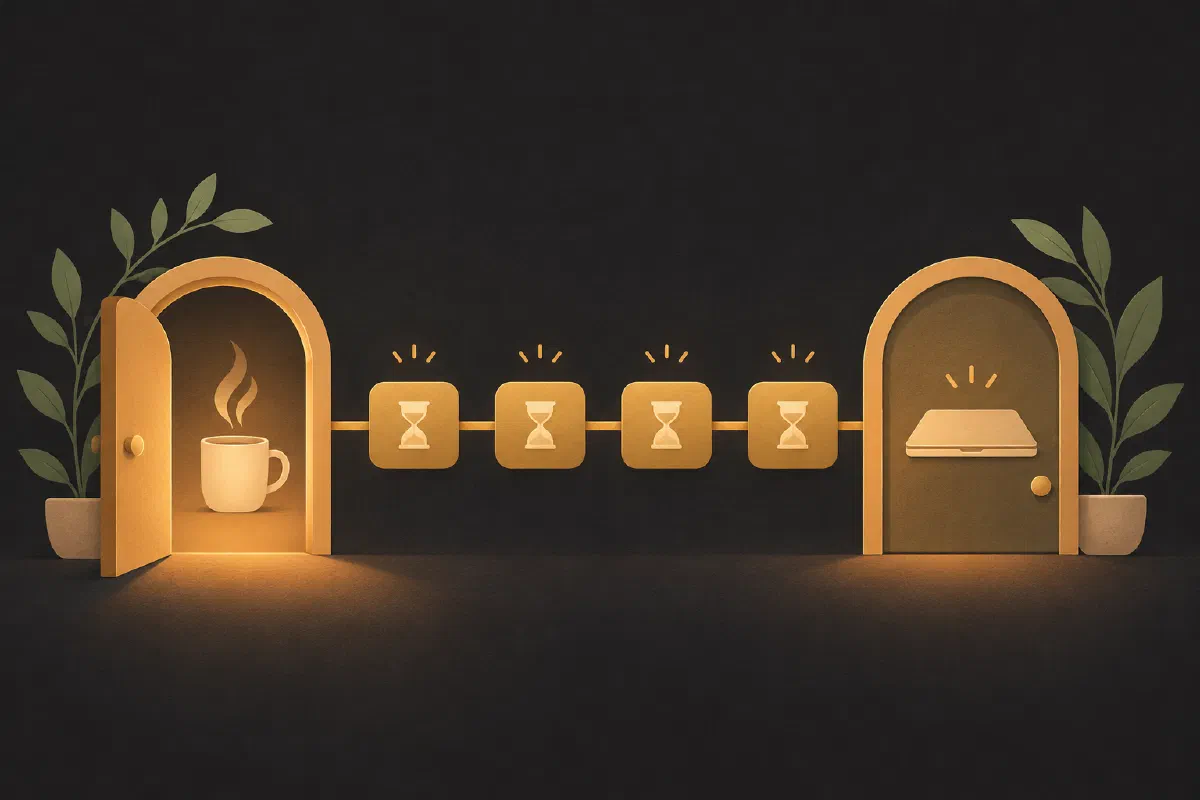
A worked example: one remote workday
Here is an illustrative day for a fictional remote analyst who starts at 8:30 and has two meetings. It shows how the pieces fit together; your hours and tasks will differ.
| Time | What happens | Which tip |
|---|---|---|
| 8:15–8:30 | Short walk around the block, coffee, writes “Main task: draft section 2 of the quarterly report. First step: outline three key findings.” | Start ritual |
| 8:30–9:20 | Block 1 (50 min): drafts section 2. Phone in the kitchen drawer. | Timed block |
| 9:20–9:30 | Break: stretches, refills water, looks out of the window. | Break |
| 9:30–10:00 | Messages and email (30 min block). | Batching |
| 10:00–10:45 | Team meeting. | — |
| 10:45–10:55 | Break away from the screen. | Break |
| 10:55–11:35 | Block 2 (40 min): continues the report. A delivery arrives at 11:10; writes “Next: add chart for region B”, signs for the parcel, restarts with a 15 minute block. | Interruption routine |
| 11:35–12:00 | Messages. | Batching |
| 12:00–12:45 | Lunch and a walk outside. | Longer break |
| 12:45–13:30 | Block 3 (45 min): data checks. | Timed block |
| 13:30–14:00 | Messages, quick replies. | Batching |
| 14:00–14:30 | One-to-one call. | — |
| 14:30–15:00 | Block 4 (25 min + break): low-energy admin, expense report. | Timed block |
| 15:00–16:10 | Blocks 5 and 6 (two 30 min blocks with a 10 min break): review comments on the report. | Timed block |
| 16:10–16:45 | Final message check. | Batching |
| 16:50–17:00 | Stop ritual: captures open items, writes “Tomorrow: finish chart for region B”, closes the laptop, changes clothes. | Stop ritual |
Notice what the day does not contain: no constant inbox, no lunch at the desk, no “just one more email” at 21:00. It also does not try to fill every minute with deep work: the focused blocks add up to a little under four hours, and the rest is meetings, messages and breaks. Your own number will depend on your job, so measure it for a week before setting a goal.
Common problems and what to try
| Problem | Likely reason | Try this |
|---|---|---|
| You start the day in your inbox and never get to the main task. | No start ritual; the first thing you open sets the agenda. | Write the first step the evening before; start one block before opening messages. |
| You work late most evenings. | No clear stop signal; tasks feel unfinished. | Set a stop time, do the stop ritual, write the next step for each open item. |
| Blocks keep getting broken by chat. | Team expects instant replies. | Check messages between blocks; set a status such as “focus block until 11:00”; raise focus hours with your team. |
| You feel stiff or your eyes ache by mid-afternoon. | Long stretches at a badly set up screen. | Raise the screen, add a separate keyboard, take 5 to 10 minute movement breaks every hour. |
| Breaks turn into 45 minutes on the sofa. | Breaks with no clear end, often on a screen. | Use a timer for breaks too; choose offline breaks with a natural end. |
| Household tasks keep calling. | No boundary between home time and work time. | Keep a “home” list on the notepad and do one item in a break or after the stop ritual. |
| The afternoon feels useless. | Energy dip; hard tasks scheduled late. | Move deep work to your best hours; use shorter blocks and lighter tasks after lunch. |
Fill-in template: your remote workday plan
Copy this into a notebook or a note on your computer and fill it in once. Then use it every day for a week before changing anything.
- My start cue: When I ______________________, I start my first block.
- My work spot: ______________________ (cleared at the end of each day: yes / no)
- My default block length: ______ minutes, with ______ minute breaks.
- My best hours for hard work: from ______ to ______.
- I check messages at: ______, ______, ______, ______.
- My phone during blocks is: ______________________.
- My break options (offline): 1. ____________ 2. ____________ 3. ____________
- My stop time: ______
- My end-of-day cue: When I ______________________, work is over.
- Tomorrow’s first step (write every evening): ______________________
When remote work tips are not enough
These tips are about structure, and structure helps most people. If focus problems at home are severe and long-standing, or follow you across every setting, a better routine may not be the whole answer. If you have ADHD or suspect it, our guide to working from home with ADHD adapts these ideas, and ADHD at work covers wider workplace strategies. For persistent problems with concentration, mood or sleep, talk to a doctor.
Summary
A productive home office does not need more discipline so much as more edges. Start the day with a short ritual that ends in your first work block. Work in timed blocks with breaks decided in advance, and check messages between them. Keep one work spot with the screen at eye level and the phone out of the session. Take short, frequent breaks that get you moving. When something interrupts you, leave yourself a one-line note. And close the day with a stop ritual that writes down tomorrow’s first step, so you can actually switch off.
Your next step: tomorrow morning, before you open email, start one 25-minute block on your most important task. You can use our free Cyklio Focus Timer in the browser. If you want to track blocks toward a daily goal in hours and see daily, weekly and monthly reports, Cyklio, our own app made by Mindly 360, offers a 7-day free trial with full access and no account or card needed.